By the Octri team · Updated
Why do I need API documentation?
The first person to use an API usually has a shortcut the next thousand people will not: they can ask the engineer who built it what a field means. For everyone else, the documentation has to carry that knowledge across the gap.
API documentation earns its keep when an unfamiliar developer can decide whether the API solves their problem, make a successful request, recover from a failure and continue working after the product changes. A raw list of endpoints may be a start, but it rarely completes that journey.
Do I need API documentation?
If nobody outside the implementing team uses an API, a checked-in OpenAPI description and a short README may be enough. The moment a second team, customer, partner or new colleague depends on it, undocumented assumptions become someone else's obstacle.
A person calling an API needs to know where to begin, how to authenticate, what a field means, which errors are recoverable and whether a recent release changed the contract. Those questions exist whether the service is public, internal or used through an SDK.
The size of your documentation should follow the complexity of those tasks. A small API may need a handful of excellent pages. A complex platform needs a navigable system that lets different readers find different kinds of answers.
Why is API documentation important?
A developer cannot reliably integrate a contract they cannot understand. Good docs reduce the time spent guessing about request shapes, prevent avoidable support questions and give API changes a place to be explained.
They also force the team to define behavior explicitly. Writing down what a retry means, how a token expires or whether an empty field clears data can expose decisions that were previously hidden inside implementation details.
This is not a promise that documentation eliminates support. It makes support more effective by turning recurring answers into resources that remain available after the original conversation ends.
Developers choose APIs by their documentation
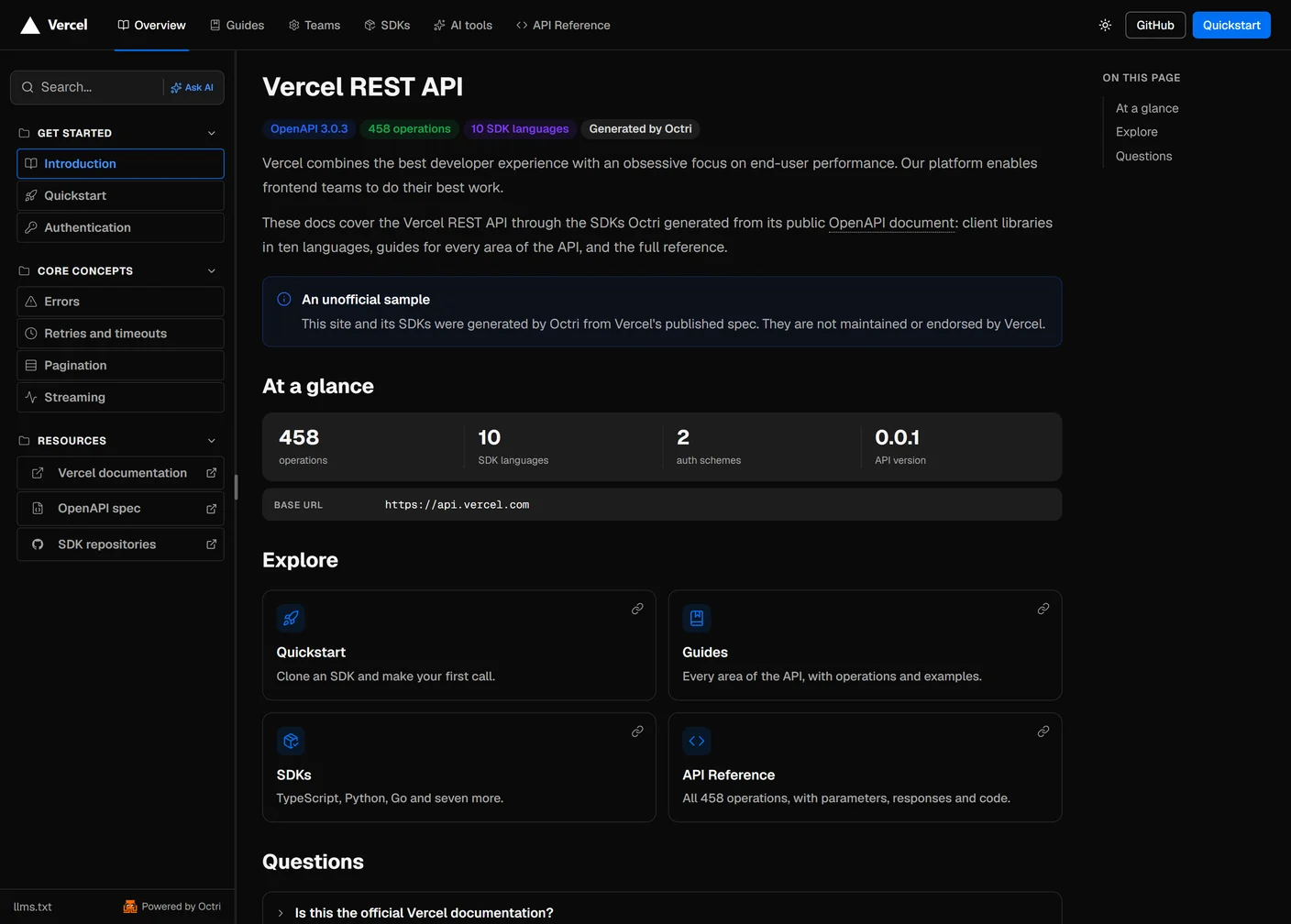
A developer evaluating an unfamiliar API often opens the docs before creating an account. They want to know whether the product supports their use case, how much setup is required and whether the ecosystem matches their language and deployment environment.
A useful first page answers those questions without a sales pitch: describe what the API does, show the base URL and authentication model, link the quickstart and make the main resources easy to find. If the first impression is a hundred endpoints without a suggested route through them, even a capable API can feel costly to adopt.
Docs are where developers learn your API
Learning an API is an exercise in building a mental model. Developers need to understand the resources, the relationships between them and the order of calls needed to accomplish something.
Julia Evans offers a good example of how even experienced developers can be stopped by missing explanations. In A data model for Git (and other docs updates), she describes working with Marie Claire LeBlanc Flanagan on Git's official documentation. They noticed that terms such as object, reference and index appeared throughout the docs without a compact explanation of how those concepts fit together. To improve several man pages, Evans asked readers to identify confusing phrases; roughly 80 people responded, many with years of Git experience.
That account matters for APIs because reference entries can be accurate while the system they describe remains hard to understand. A developer may know that customer_id is a string and still not know when a customer is created, what owns it, or whether deleting it affects invoices. The missing information is conceptual, and it deserves its own explanation.
A complete reference and a clear guide support different parts of the learning process. The reference answers what a request accepts. The guide shows why a sequence of requests makes sense. API reference vs guides explains the difference.
Your own team needs it too
Internal readers are easy to forget because they can ask their coworkers questions. But that is exactly why poor documentation becomes expensive: it converts reusable knowledge into repeated interruptions.
A new engineer may need to discover which service owns a resource. An on-call engineer needs to know whether a 409 should trigger a retry. A team building a second product may need to understand which version and scopes to request. Reliable internal documentation lets those people work without locating whoever remembers the original design discussion.
The writing process also helps code reviewers. When an endpoint changes, a maintained reference and a clear changelog make the compatibility impact visible before a problem reaches another team.
AI assistants read your docs
The developer reading the docs may be a coding agent acting on behalf of a person. It needs the same information a human needs, expressed in a form it can retrieve and interpret: complete examples, explicit types and units, stable URLs, authentication details and a description of what makes a request safe to repeat.
Publishing an OpenAPI spec and Markdown pages can make this material easier for agents to consume, but machine-readable formats do not repair incorrect explanations. If old and new versions use the same page without distinction, an assistant may combine incompatible instructions.
How to make API documentation AI-readable covers the publishing formats and the tests worth running against them.
Who reads API documentation
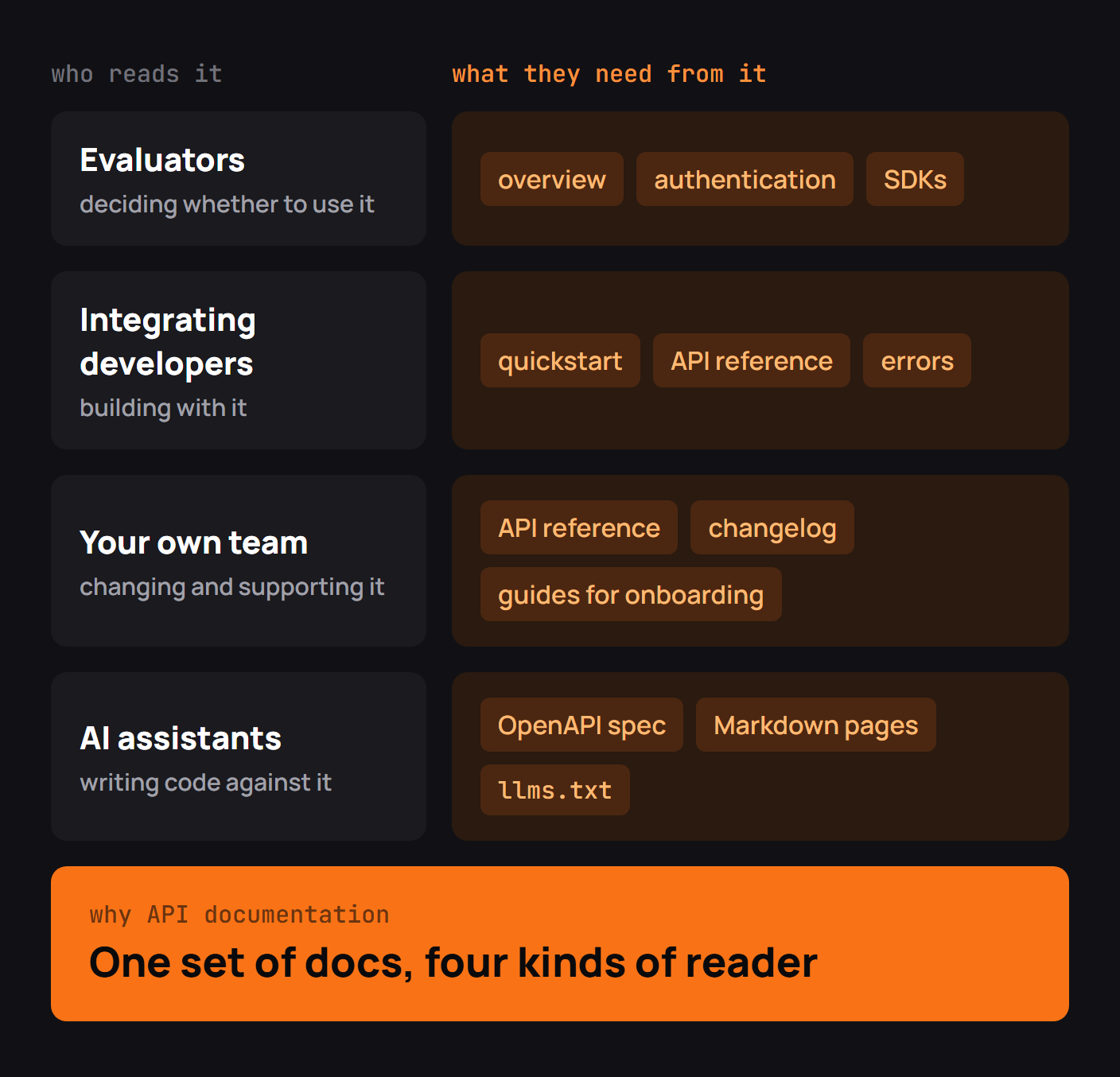
Most documentation sites serve several distinct visitors. An evaluator needs a concise overview. An integrating developer needs a quickstart and reference. Someone debugging an incident needs exact error behavior and a changelog. Internal teams need ownership and migration information. An assistant needs the contract and written guidance in retrievable formats.
Trying to make a single page satisfy all of them produces long, hard-to-navigate prose. Give each question an obvious home, then use navigation and links to connect those homes. A reader should be able to move from a guide step to the endpoint it calls and back again.
What API documentation should include
For most HTTP APIs, begin with an overview, a quickstart that succeeds, an authentication guide, a complete API reference, and an errors page. Add guides for real tasks that cross endpoints. Publish changelogs and migration material as the contract evolves.
The reference should describe request and response schemas precisely. The guides should explain what developers are trying to accomplish and why the steps appear in that order. Code samples must be complete enough to adapt, and the examples should run against a supported version of the API.
Avoid expanding the site because a template says you need twenty categories. Expand it when a real user question deserves its own page.
How do you know your docs are working?
Traffic alone says little. A reference page can receive thousands of views because it is useful or because nobody can find the answer they need.
Track practical outcomes where you can: the first successful request, searches with no useful result, support tickets that repeat a question, and guides rated unhelpful. Test the quickstart with someone who has not worked on the API, and watch for the first place they need to infer missing information.
Evans's experience with Git documentation is instructive here. Instead of treating the writer's intuition as the final judge of clarity, she asked actual readers which words and explanations caused problems. The same approach can improve an API guide: ask the intended audience to follow it, and let their questions decide what to clarify.
Start your API documentation
You do not need to publish an encyclopedia before inviting the first integrator. Generate a reliable reference from the spec. Write one quickstart that reaches a visible result. Describe authentication and expected failures. Put it where developers can find it and establish a release habit that keeps it correct.
Then follow the questions. If several developers ask how retries interact with idempotency keys, write that explanation once and link to it from relevant endpoints. If nobody understands the difference between two resources, write a conceptual page before adding another parameter table.
API documentation with Octri
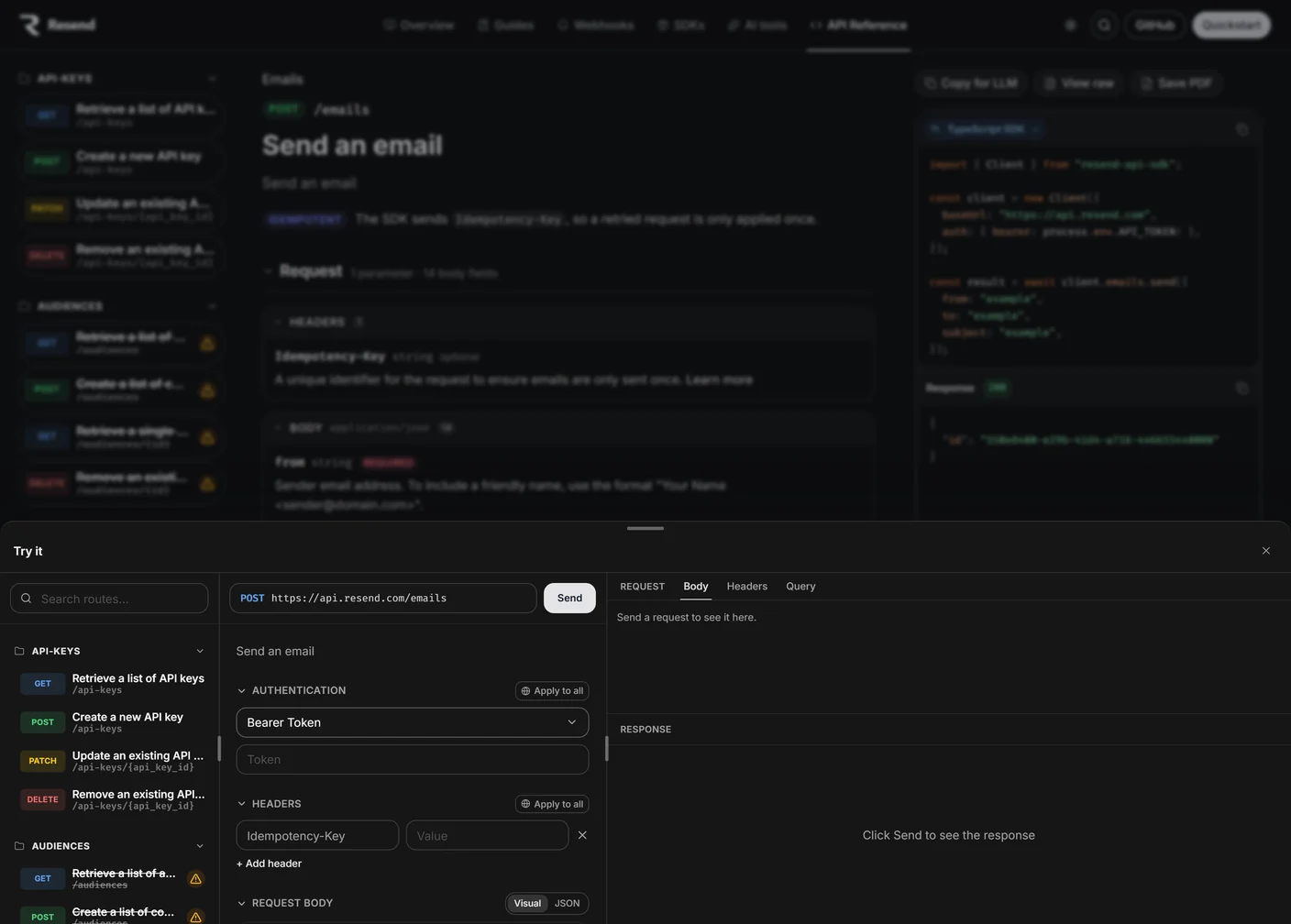
Octri API Studio can build a reference from an OpenAPI spec, place written guides beside it, show SDK-oriented request examples and provide an interactive playground. It also supports AI-readable outputs such as llms.txt and Markdown versions of pages.
Those features make the information easier to publish and access. They do not replace the work of finding out where readers struggle. A strong documentation site combines an accurate contract with tested explanations, and improves as real developers reveal what its authors took for granted.