By the Octri team · Updated
How to document API authentication
Authentication is often the first point where an otherwise understandable API turns into a guessing game. A developer has a credential, an endpoint and a code sample. The request still fails. Is the token malformed? Does it belong to the wrong environment? Does it lack permission? Should the reader get a new token or ask an administrator for access?
Good API authentication documentation answers those questions before the developer needs to send a support ticket.
How do you document API authentication?
Write from the perspective of someone who has just created an account. Tell them where credentials come from, which kind of credential the API accepts, where it belongs in a request and which permissions it grants. Include a complete request and a representative response. Then document what the API does when authentication fails, how to test safely and how credentials are rotated.
The reference should repeat the facts specific to each endpoint, including required scopes and authentication headers, even when a separate guide explains the bigger system. Developers often arrive directly on an endpoint page from search.
Which authentication methods do APIs use?
Many HTTP APIs use an API key, a bearer token or an OAuth 2.0 flow. The differences matter more than their labels.
An API key is commonly provisioned in a dashboard for server-to-server use and sent in a named header such as X-API-Key. A bearer token is sent through Authorization: Bearer …, but the page must say how to obtain it and how long it remains valid. OAuth 2.0 adds a permission-granting process so an application can act on behalf of a user or another service, according to the supported flow.
Basic authentication still exists, particularly in older APIs, but it should be documented with the exact header construction and an explicit HTTPS requirement. Do not tell readers to guess which scheme an endpoint expects from an unrelated code example.
Is OAuth better than an API key?
That depends on what an application needs to do. A backend service operating within its own account may only need a narrowly scoped API key. An application connecting to many users' accounts generally needs delegated authorization, user consent and token management, which OAuth can provide.
For an API that supports more than one method, place a short decision guide before the detailed flows. “Use an API key for your own server; use authorization-code OAuth with PKCE when acting for a user” is far more useful than describing both at length before revealing which one applies.
See OAuth 2.0 Security Best Current Practice (RFC 9700) for current guidance on flow selection and security considerations.
Say where credentials come from
A credential does not magically appear in the developer's environment. Name the dashboard path, the role allowed to create the key, whether it is shown only once and how to store it. If a test account needs verification, say so before the reader attempts the first request.
Describe environment differences visibly. A test credential might work only against a sandbox URL, and a live credential against the production URL. Showing both prefixes and base URLs in one table can prevent a surprisingly common class of false authentication errors.
Show exactly where the credential goes
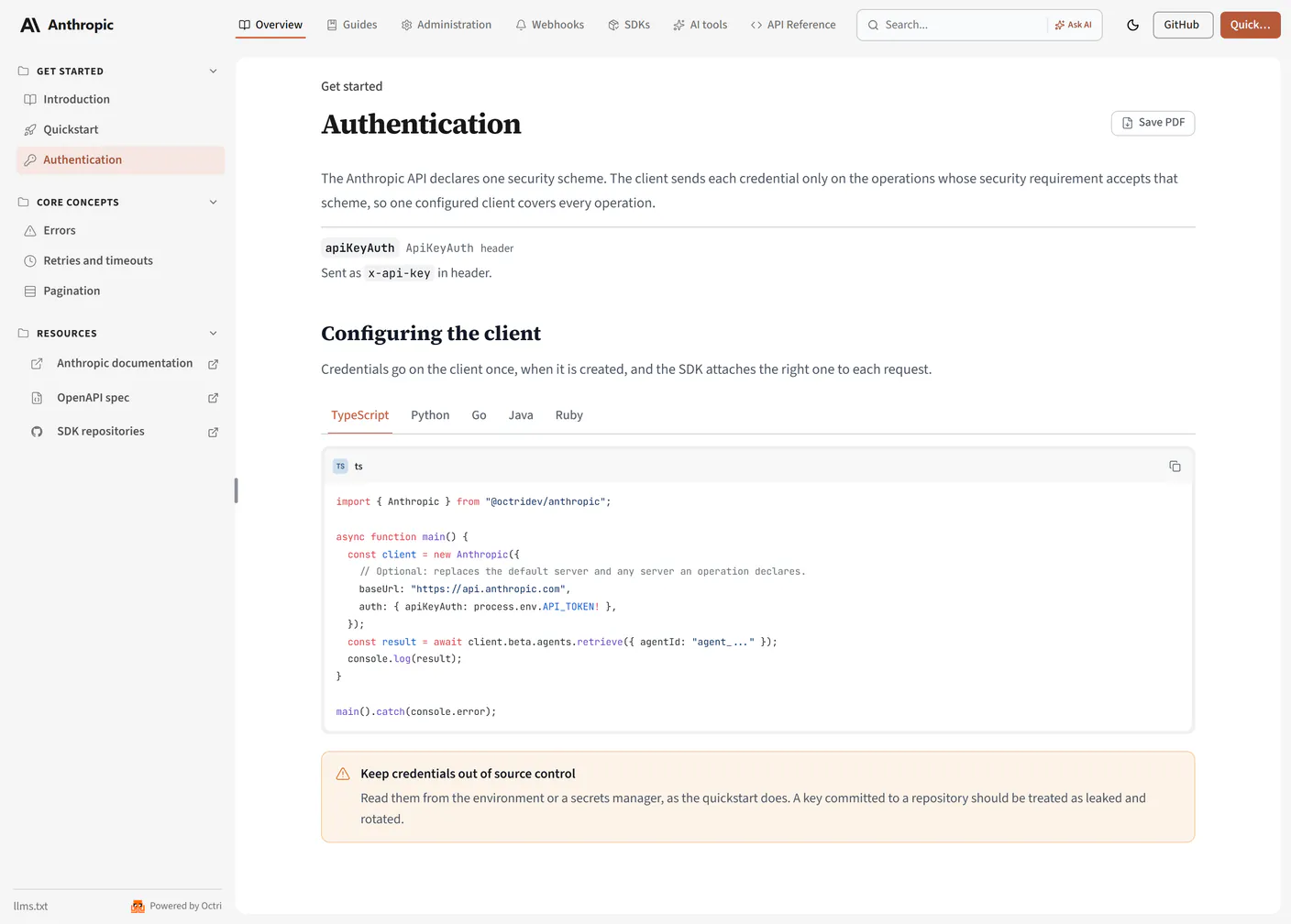
Never leave the header format implicit. For a hypothetical API using bearer tokens, the first request might be:
export EXAMPLE_TOKEN='your-test-token'
curl https://api.example.com/v1/customers \
  -H "Authorization: Bearer $EXAMPLE_TOKEN" \
  -H 'Accept: application/json'
If the API expects X-API-Key instead, show that header. The example should use an environment variable so nobody is encouraged to paste a production secret into committed source code.
Document OAuth 2.0 step by step
OAuth has enough moving pieces to deserve a worked sequence. Explain app registration, redirect URIs, the authorization endpoint, the token endpoint, required scopes, token expiration and refresh. If you support authorization code with PKCE and client credentials, make it clear which one belongs to a user-facing app and which one belongs to server-to-server work.
Show the complete token exchange for your supported flow, including a sample response with access_token, token_type, expires_in and any returned scopes. Then show the authenticated API call that uses the result. The reader should not have to piece together three different standards pages to make one request.
Do not place client secrets in browser-side sample code. Document the security properties of the chosen flow and direct advanced readers to the standards where appropriate.
List scopes and what each one opens
Scopes give developers a way to ask for the least access necessary. A useful table makes each scope concrete:
| Scope | What it permits |
|---|---|
customers:read |
Read customer records |
customers:write |
Create or update customer records |
invoices:read |
List and inspect invoices |
These are illustrative names, not a universal scope vocabulary. Use the API's actual names, note any account-role restrictions and repeat the necessary scope on each affected endpoint. A valid credential without the right scope is a different problem from a missing credential.
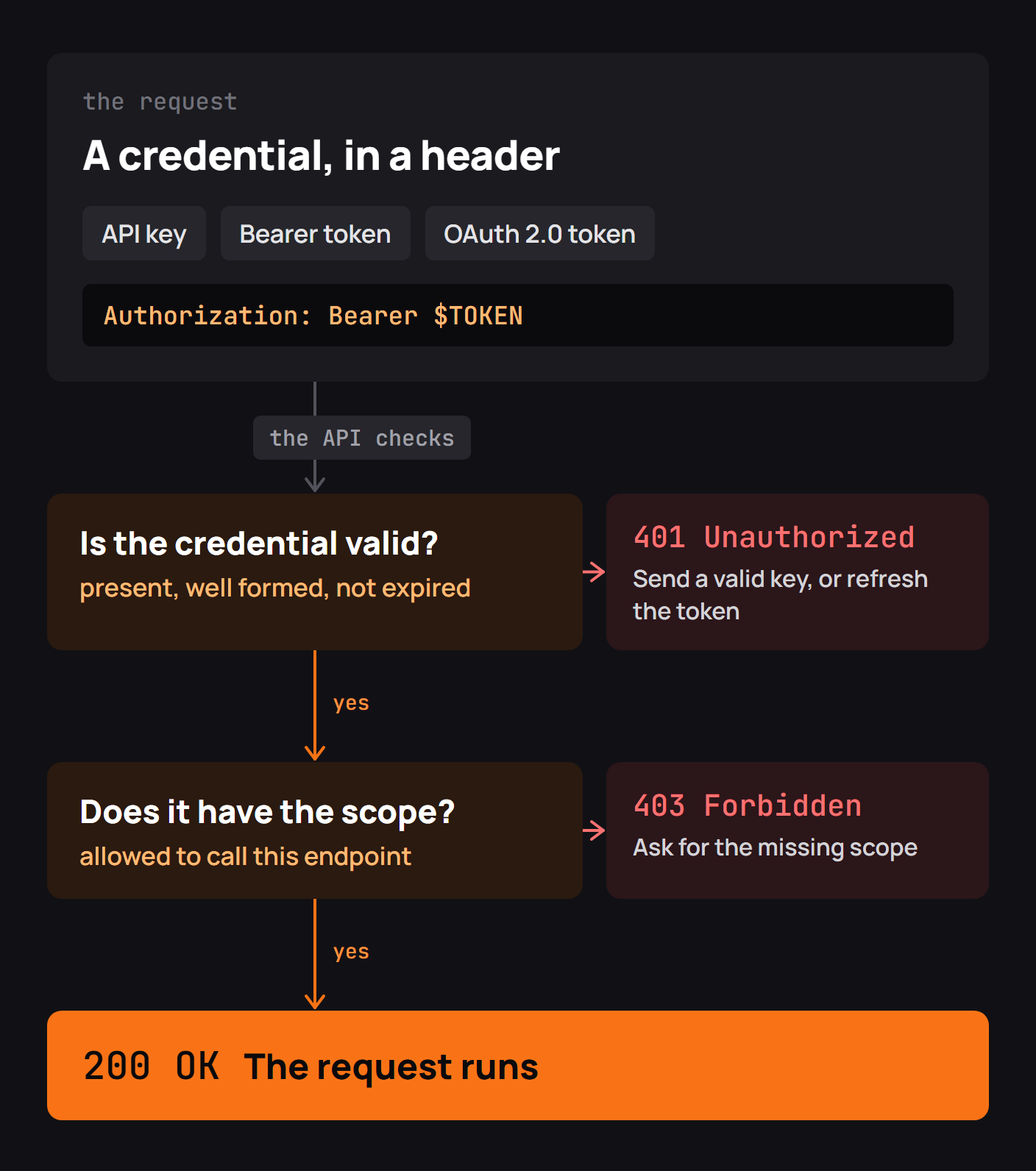
Show the 401 and 403 responses
I tested that distinction for this guide with a tiny local HTTP API. I deliberately made one request without a credential and another with a valid demo token that lacked the permission for GET /v1/invoices. The responses were different:
HTTP/1.1 401 Unauthorized
WWW-Authenticate: Bearer realm="example", error="invalid_token"
Content-Type: application/json

{"error":"invalid_token","hint":"Provide a valid Bearer token"}HTTP/1.1 403 Forbidden
Content-Type: application/json
{"error":"insufficient_scope","required_scope":"invoices:read"}The demonstration did not call a real production API; I wrote a local handler specifically to make the difference reproducible. The important observation was how the next action changed. After the 401, I needed to supply a valid token. After the 403, replacing the token with another equally under-scoped token would have achieved nothing. The documentation needed to tell me which permission to request.
That is the level of precision worth bringing to real authentication pages. HTTP status codes provide a starting point, but the response body and explanation should tell developers how to recover. A 403 may also reflect account policies or resource authorization, so document the actual API behavior rather than treating insufficient scope as its only possible cause.
Explain test and live credentials
Give test mode its own small section, including the URL, credentials and behavior that differ from production. Explain whether sandbox calls create persistent data, whether webhooks are sent and how to trigger representative failures safely.
Test environments should be difficult to confuse with production. Stripe's visible test and live key prefixes are one well-known approach; whatever scheme you use, document it consistently and never display an actual private key in an example.
Explain rotation and revocation
Credential rotation is an operational procedure, not a footnote. Describe how to create an overlapping replacement key, deploy it, verify requests and revoke the old key without downtime. Also explain immediate revocation after a leak and whether existing access tokens or sessions continue working.
If your system does not support overlapping credentials, say so and describe the downtime or migration risk instead of prescribing a rotation sequence it cannot perform. Include audit-log and permission guidance if these features exist.
Declare the scheme in your OpenAPI spec
The authentication model should be recorded in the same OpenAPI description that generates the reference. For a hypothetical header key:
components:
  securitySchemes:
    apiKeyAuth:
      type: apiKey
      in: header
      name: X-API-Key
security:
  - apiKeyAuth: []
OpenAPI can also describe HTTP bearer and OAuth 2.0 security schemes, including OAuth flows and scope requirements. An operation can override document-level security, including specifying an unauthenticated operation with security: []. The OpenAPI guide to security explains these structures.
API authentication best practices
Secure transport, least privilege, token expiration, redacted logging and safe secret storage are implementation requirements. Documentation should make those requirements visible without turning the page into an abstract security essay.
Prefer complete examples with environment variables; explain how failures map to recovery actions; keep permissions next to the operations they guard; and document credential lifecycle changes as prominently as first-time setup. If an authentication method is deprecated, say which alternative to use and by when.
API authentication documentation checklist
- The reader can find and create the correct credential.
- The docs show its exact header, scheme and format.
- A complete request and response demonstrate the first call.
- OAuth flows include registration, permissions, token exchange and refresh where relevant.
- Required scopes appear both in the overview and on endpoint pages.
401and403behavior is distinguished, with concrete recovery guidance.- Sandbox and production credentials are clearly separated.
- Rotation, revocation and suspected leaks have documented procedures.
- OpenAPI security declarations match what the server enforces.
Document API authentication with Octri
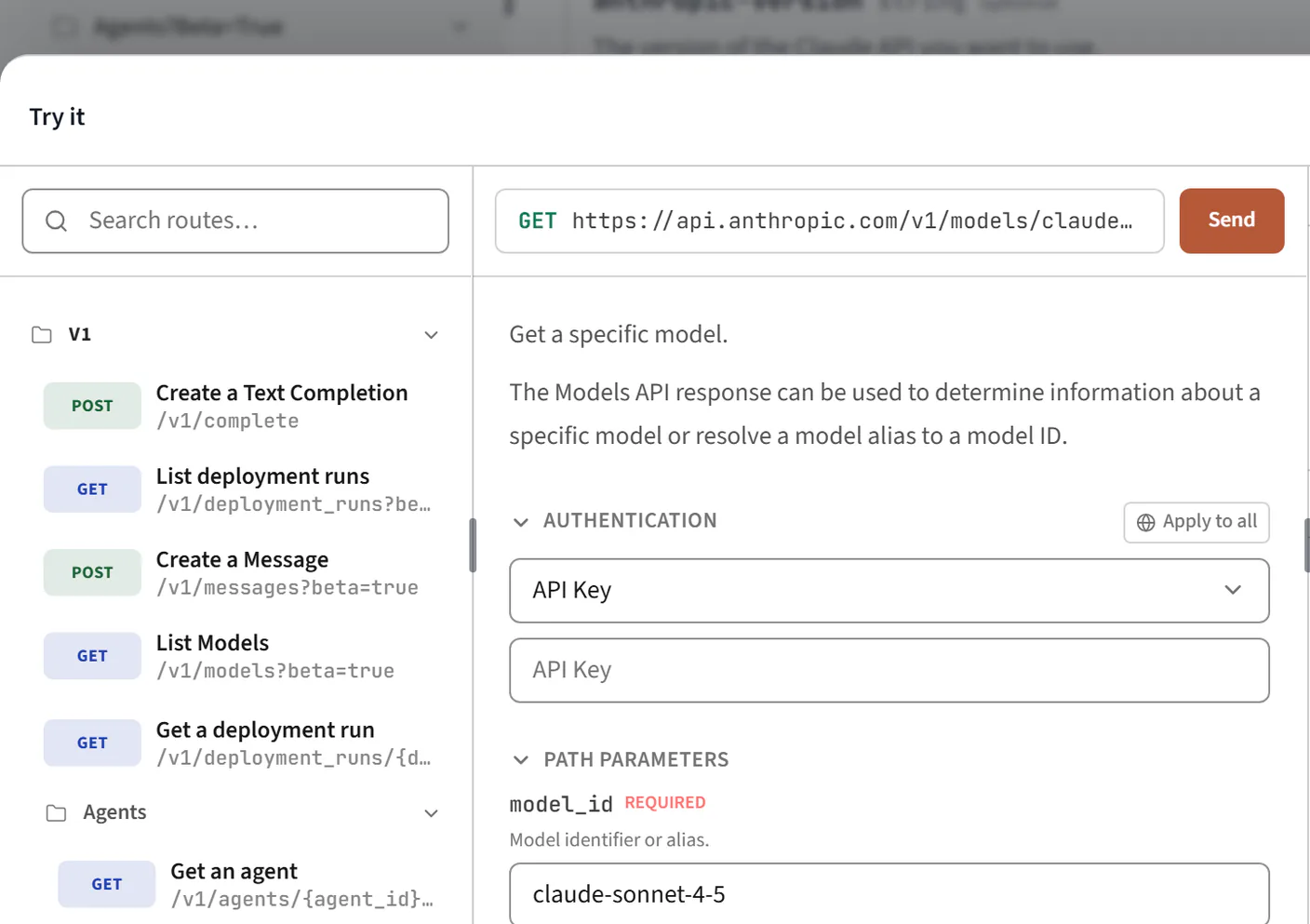
Octri API Studio reads security schemes from OpenAPI and can reflect them in endpoint references, SDK request examples and the interactive playground. Teams can write the surrounding authentication and troubleshooting guidance in the visual editor or MDX and publish it beside the reference.
That helps keep the format of authentication consistent across surfaces. The behavior still needs to be tested against the running API. As the local exercise showed, a page becomes genuinely helpful when a developer can tell which failed request to fix and which permission to ask for next.