By the Octri team · Updated
How to make API documentation AI-readable
A coding assistant can write convincing integration code with the wrong endpoint, wrong version and wrong authentication scheme. The code may even compile. The problem is often that the assistant has collected fragments of documentation without knowing which ones belong together.
Making API documentation AI-readable means giving agents reliable routes to the same information developers use: an index of pages, clean versions of their content, a machine-readable API contract and, when appropriate, tools that can retrieve information or perform actions.
How do you make API documentation AI-readable?
Begin with the existing docs. Publish the OpenAPI description at a stable URL. Make important pages available as text, ideally Markdown, and give retrieval tools a useful index. Write each page so that an isolated section still identifies the endpoint, authentication and version it describes.
Only then consider more advanced integrations such as browser-agent tools or an MCP server. They solve different problems. A model that can find the right page does not automatically have permission to make an API call, and a model with access to a tool still needs to understand its behavior.
Who reads your docs besides people?
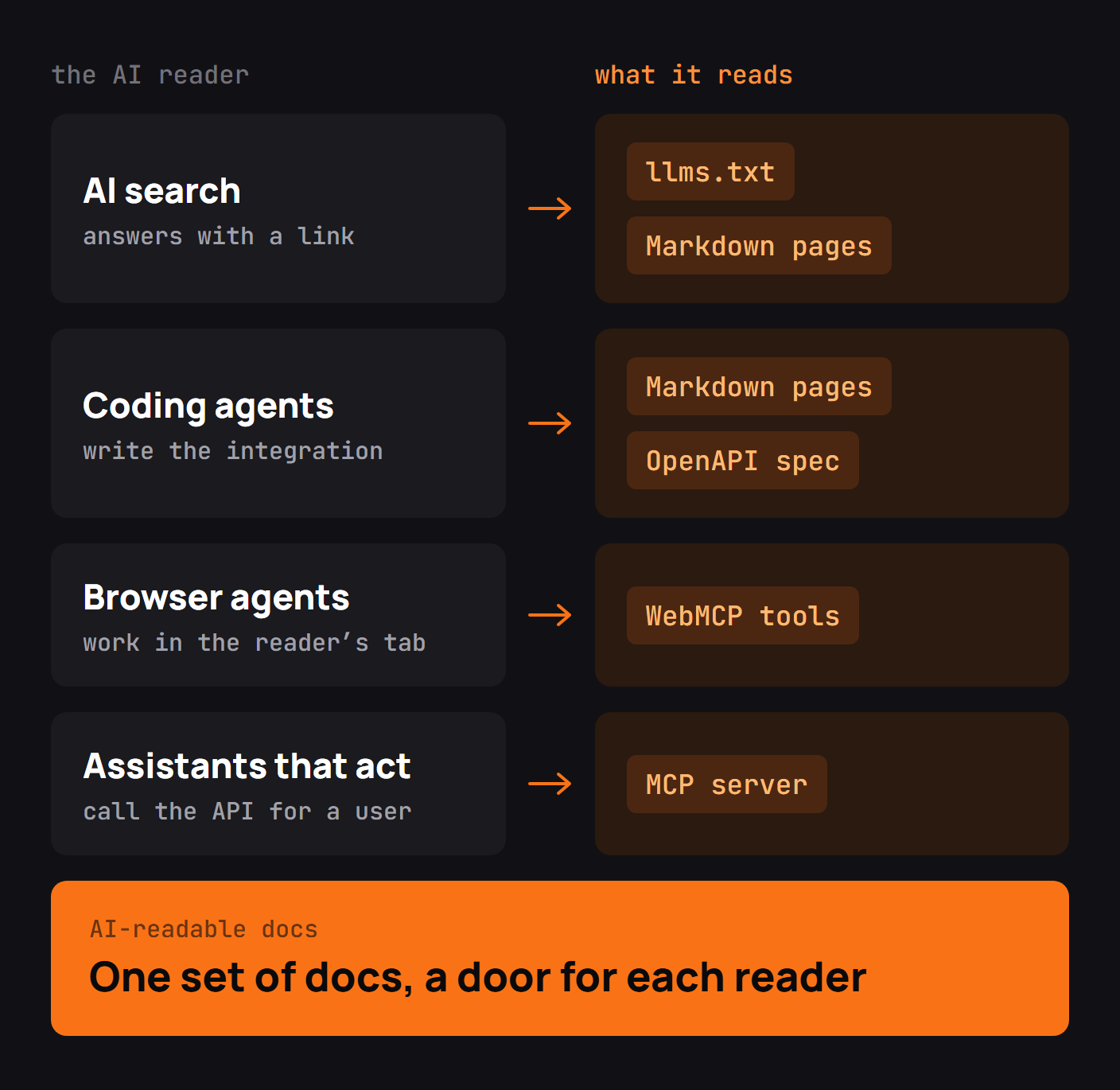
There are several distinct readers. Search crawlers index public documentation for discovery. Coding assistants retrieve pages or OpenAPI when drafting code. An agent inside a browser may inspect or navigate the documentation site. A tool-using assistant can call an API through a separate integration after authentication and authorization.
Those readers need different interfaces to the same facts. A crawler needs reachable content and sensible canonical URLs. A coding agent needs parameters, examples and constraints. A tool-using agent needs an explicit, safe operation surface with understandable inputs and error behavior.
Publish an llms.txt file
The proposed llms.txt format is a Markdown index intended to help language models find relevant documentation pages. It is not a universal requirement of AI crawlers or a guarantee that a particular model will use your site.
A useful index describes why a page matters, not just its title:
# Example Payments API

> Create customers and invoices using a JSON REST API.

## Start here
- [Quickstart](https://docs.example.com/quickstart.md): Make your first test request
- [Authentication](https://docs.example.com/authentication.md): API keys and scopes

## Reference
- [Customers](https://docs.example.com/api/customers.md): Create and find customers
- [OpenAPI](https://docs.example.com/openapi.yaml): The current machine-readable API contract
Put the version and product boundaries where they are visible. A sprawling index mixing obsolete and current APIs without labels may make retrieval worse rather than better.
Offer a Markdown copy of every page
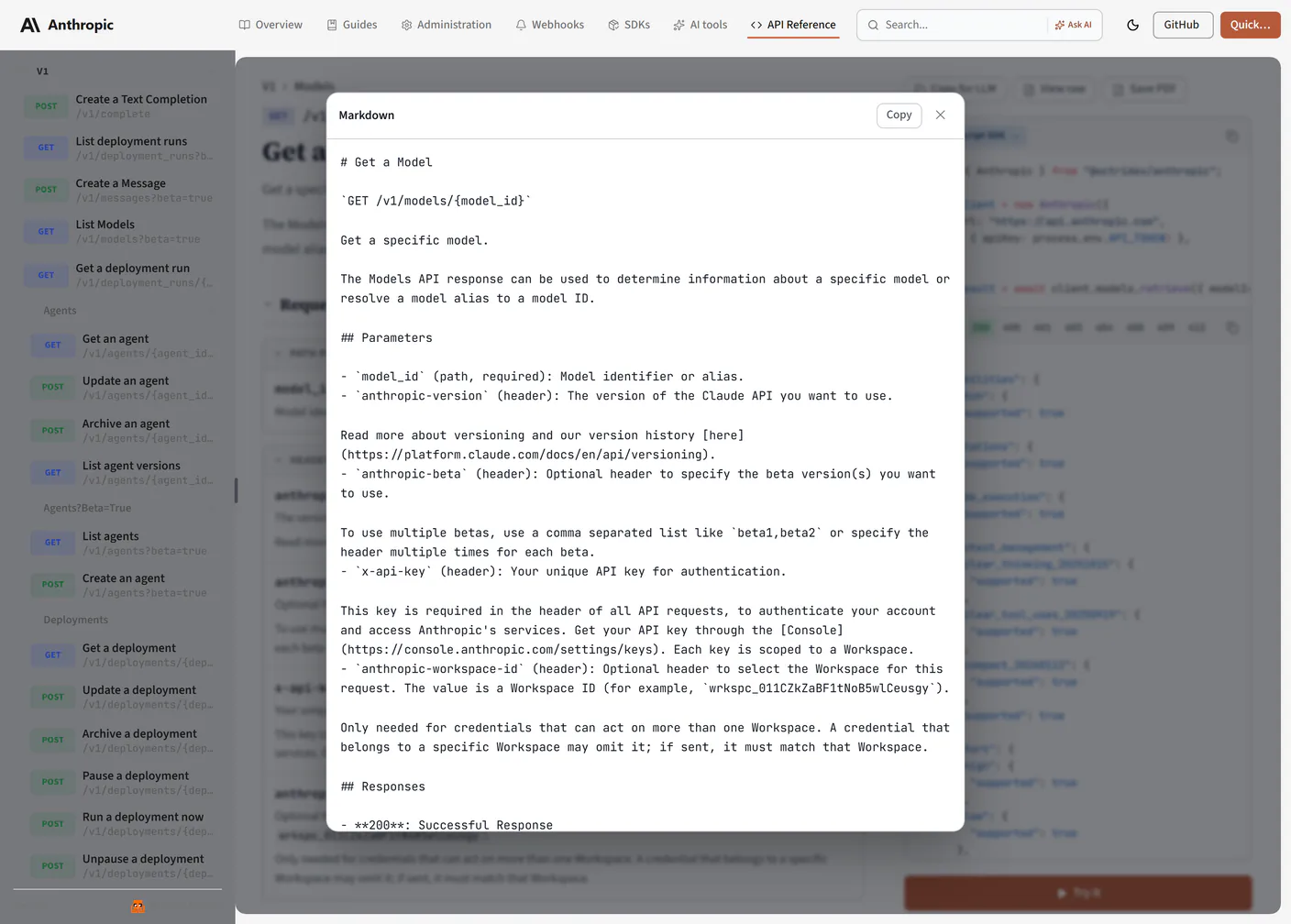
I checked this in a public documentation site rather than assuming that “View as Markdown” means every page is automatically useful to an agent. Cloudflare's root llms.txt starts with product categories and links to separate indexes. I followed its Workers documentation route and inspected the Markdown version of the Workers CLI quickstart.
The page's central instructions were readable: prerequisites, commands and numbered setup steps survived in text. But I also noticed details that would need care when preparing content specifically for an agent. Some page chrome appeared in the text, and the rendered language/package-manager tabs were less clear when flattened into a text extraction. I could understand the instruction because I knew what the controls represented; an assistant consuming the text alone might need a more explicit label on each command variant.
That is why I would not stop at making .md URLs resolve. Request the actual Markdown, examine the examples and check whether components such as tab panels, warnings, diagrams and parameter tables retain their meaning. The goal is for the text version to be usable independently, not merely smaller than HTML.
Cloudflare's AI consumability guidance is a helpful reference for implementing and reviewing this behavior.
Publish the OpenAPI spec
A narrative guide explains a workflow. An OpenAPI description expresses the machine-readable contract: paths, methods, schemas, parameters, responses and security schemes. Agents writing integrations benefit from access to both.
Publish a supported, validated spec at a stable URL and link it from the docs index. Ensure operation IDs and descriptions are meaningful, response types are complete and authentication requirements match reality. If several API versions exist, publish a clearly identified spec for each one and keep the default explicit.
OpenAPI is not a replacement for a task guide. A model may learn from the spec that POST /customers exists, but still need a guide to understand when customer creation belongs in the application's workflow.
Write pages that make sense on their own
Models often retrieve one fragment rather than the whole article. Replace “as described above” with the small amount of context a section requires. State the resource, version, units and preconditions inside examples. A field described as “amount: integer” still leaves open whether the unit is cents, dollars or something else.
A useful page can be understood without the surrounding navigation. If a code block uses an SDK, include the package name and a supported version range when relevant. If a request requires a permission, name it next to the endpoint. If an example is sandbox-only, say so before the command.
For tables and tabs, add labels that survive when the page is read linearly. That was the important lesson from inspecting the Workers quickstart as text: interfaces that are obvious visually can become ambiguous when flattened.
Decide which AI crawlers can read your docs
Search indexing, model training and agent retrieval are different activities. Check the published crawler guidance of the services relevant to your audience, and decide what to allow through robots.txt and your site access policy.
Do not assume llms.txt overrides crawler rules or grants access to private material. A publicly linked Markdown copy is still public content. Protect confidential docs with real authentication, not an instruction asking robots to stay away.
Also ensure public pages use stable canonical addresses and do not accidentally publish obsolete versions as the only easily retrieved result.
Add WebMCP tools for browser agents
WebMCP is an emerging browser-tool proposal. Its purpose is to let a web page expose structured tools to an assistant operating in the browser, instead of forcing it to infer everything from visual controls.
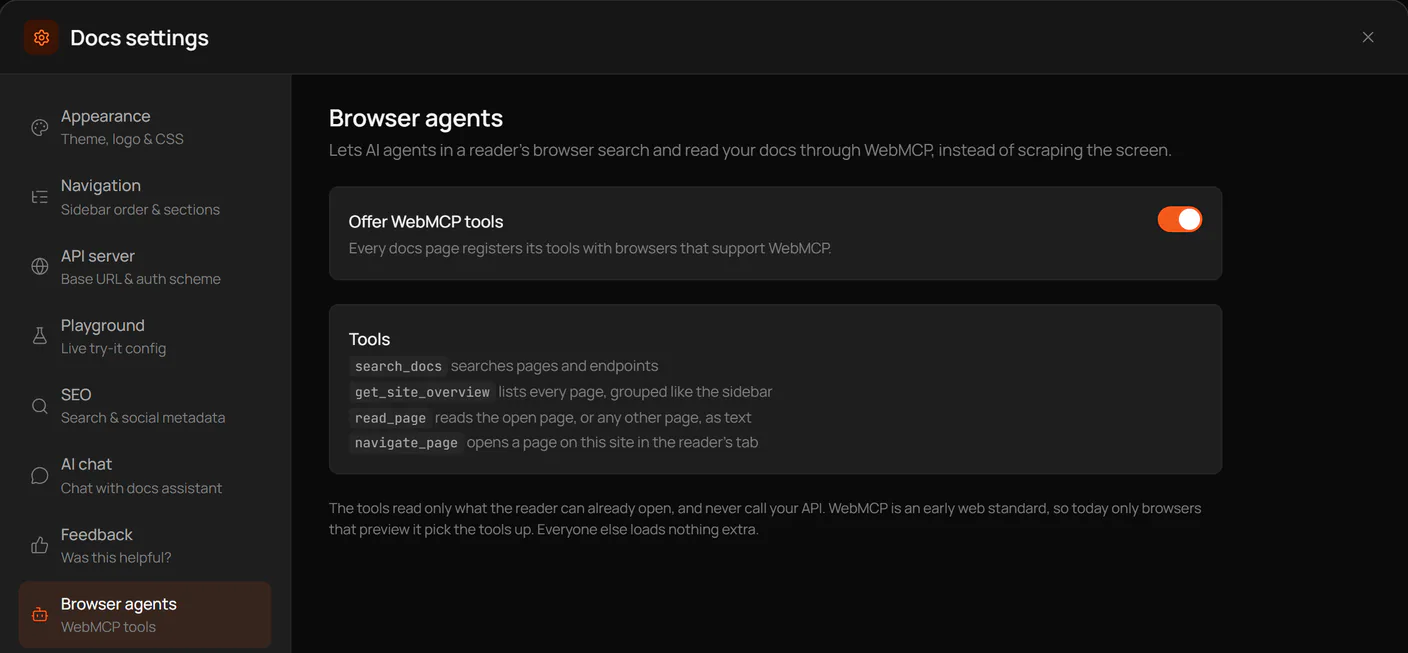
For a documentation site, read-only tools such as search_docs, get_site_overview, read_page and navigate_page can improve navigation. Their behavior should be well defined, permission boundaries respected, and results scoped to what the reader can already access. Since browser support is evolving, these tools should supplement ordinary pages and links, not replace them.
Publish an MCP server for assistants
An MCP server serves a different purpose: it exposes tools or resources to a compatible assistant. When connected to your API, it can let the assistant perform authorized actions rather than only reading about them.
This adds security responsibilities. Document how users connect, what credentials are required, which scopes apply, what changes state and how failures are reported. Avoid exposing destructive operations without appropriate authorization or confirmation design. A tool description should be precise enough that an assistant knows the difference between listing records and deleting them.
How to check your docs are AI-readable
Test the published surfaces separately. Fetch /llms.txt and verify that it identifies the right current pages. Fetch a representative .md URL and check that code examples and warnings survive. Validate the OpenAPI file. Ask an assistant to describe which endpoint it would use for a specific task, citing the retrieved documentation, and inspect where it guesses.
Try a deliberately ambiguous question involving an old API version. If the assistant combines old and new behavior, improve your version labels and retrieval boundaries. Repeat these checks when the documentation structure changes, not only when the API schema changes.
AI-readable documentation checklist
- A useful, version-aware index of the main documentation pages.
- Markdown representations with complete examples and clearly labeled tabs.
- A stable, validated OpenAPI description for each supported contract.
- Standalone sections that identify authentication, units and prerequisites.
- Clear crawler and access-control rules.
- Optional browser tools for read-only documentation tasks.
- An independently documented MCP server if assistants may call the API.
- Regular retrieval tests that expose version confusion and missing context.
Make API documentation AI-readable with Octri
Octri API Studio can publish Markdown versions of docs pages and an llms.txt index alongside the rendered site. Its browser-agent options can offer read-only WebMCP documentation tools, while MCP Studio addresses the separate need for API-facing tools.
Those publishing features reduce the formatting work. The remaining job is editorial and technical: make examples complete, keep the spec current, test how content reads outside the browser and make sure assistants find the right version. The goal is a correct integration, not simply an extra file at the root of the docs site.