Best MCP Server Generators for 2027
Compare 7 MCP server generators for 2027, covering deployment, authentication, tool permissions, large API support, and releases.
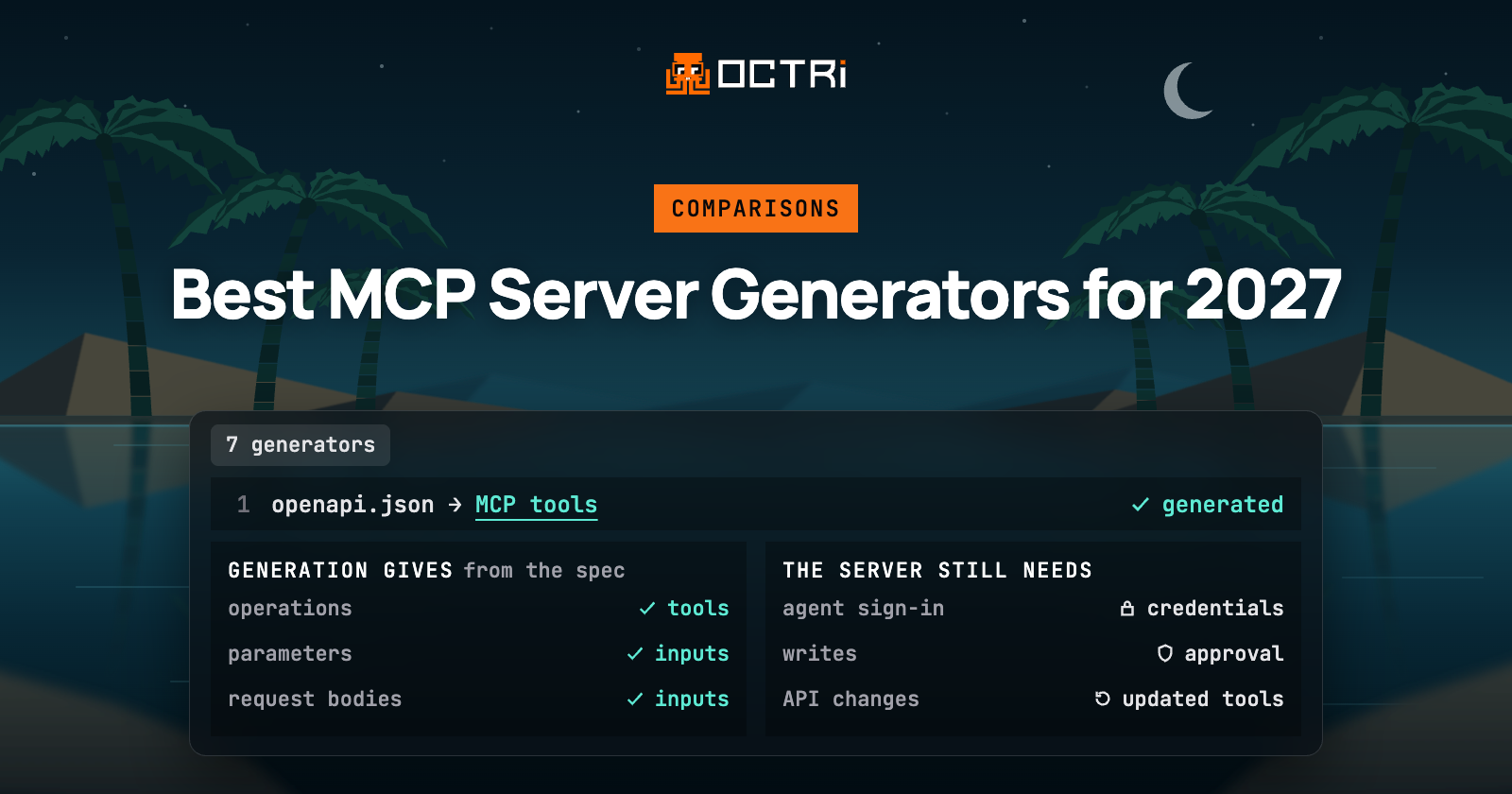
MCP server generators turn existing APIs into tools that AI agents such as Claude and Cursor can discover and call. We looked at seven options for 2027: Octri, FastMCP, Speakeasy, Zuplo, openapi-mcp-generator, Fern, and Postman MCP Generator.
How we ranked the tools
Converting an OpenAPI specification into MCP tools is only part of the work. Once agents begin calling those tools, the server needs to handle authentication, enforce permissions, and keep its definitions current as the API changes.
We evaluated each tool across five areas: deployment flexibility, agent authentication, control over write operations, support for APIs with hundreds of endpoints, and the process for publishing API changes. We placed particular weight on how much of this work is handled within the generation and publishing workflow.
1. Octri
Octri accepts OpenAPI 3.0 and 3.1, Swagger 2.0, and Postman collections. It generates an MCP server as part of the same publishing workflow that produces API documentation, SDKs in 10 languages, and monitoring. Every project includes an MCP server, including projects on the free plan.
You start by uploading an OpenAPI or Swagger document, pasting its URL, or connecting the repository where it lives. In MCP Studio, each endpoint appears as a tool. You can rename tools, rewrite their descriptions, and decide whether each operation runs automatically, asks for approval, or stays disabled. Reads run automatically and writes require approval by default.
The OpenAPI to MCP server workflow also creates seven documentation tools: search, full endpoint details, endpoint lists, guides, the changelog, SDKs, and the equivalent call in the reader's own SDK. Public SDK settings determine which operations agents can access. Endpoints excluded from the SDK receive no MCP tool. You can also add custom tools and prompts, and guides become workflow tools.
Octri hosts the server at one URL with OAuth sign-in. Authentication can use your own OAuth server, Octri signing users in to your OAuth application, a credential-entry page for APIs using keys or Basic authentication, or headers supplied by individual clients.
After publishing, MCP Studio provides connection commands or configurations for Claude Code, Cursor, VS Code, and Claude Desktop. The hosted endpoint is ready to connect to, with nothing to install or run. The same server also runs locally with npx, or on your own infrastructure using Docker or Cloudflare Workers.
For each tool, you can configure limits on writes per session and on all calls per minute. Practice mode returns fake responses, allowing agents to explore the API without changing real data.
For larger APIs, search mode activates beyond a configurable tool threshold. On GitHub's public API specification, containing 1,209 operations, listing every tool requires 403,011 tokens of tool definitions. Search mode reduces that to 1,508 tokens. Code mode, available on paid plans, lets agents execute short TypeScript and Python scripts against the SDK.
A quality score and agent test runs check tools before publication. Agents receive change notices after releases, and tool lists export in MCP, OpenAI, and Anthropic formats.
Octri leads because permissions, write controls, tool discovery, and release updates share the workflow that publishes SDKs and documentation. See the available plans.
2. FastMCP
FastMCP is an open-source Python framework for building MCP servers. Its OpenAPI integration uses FastMCP.from_openapi() to generate tools from an existing API specification.
To get started, create a Python file, fetch the OpenAPI specification using httpx2, and configure an httpx2.AsyncClient with the API's base URL. Pass the specification and client to FastMCP.from_openapi(), then call mcp.run(). The generated tools use the configured client to communicate with the API.
Route mappings can expose operations as tools, resources, or resource templates, and filter them by method, path, or tag.
The server can run on Python infrastructure or through FastMCP Gateway, formerly Prefect Horizon. Gateway deploys servers from GitHub repositories and automatically publishes updates when the repository changes. Authentication supports configured OAuth providers or token verification, with Gateway providing OAuth for managed endpoints.
FastMCP comes second for its control over how API operations become MCP components and its support for custom Python server logic. Octri takes the higher position because its publishing workflow also coordinates endpoint permissions, write approvals, and release notifications.
3. Speakeasy

Speakeasy generates MCP servers from OpenAPI documents and TypeScript functions. API operations become callable tools, and developers can add TypeScript functions for custom workflows.
The hosted setup begins in the project sidebar under MCP Gateway > MCP. Click Add new, then choose From your API to upload an OpenAPI document. You can also work with an existing API definition or a TypeScript functions project. These sources provide the tools included in the server.
Servers run on Speakeasy's managed infrastructure, with standalone TypeScript generation available through its CLI. Agents authenticate using OAuth through an existing identity provider or Speakeasy's authorization server. API keys and bearer tokens are also supported.
For larger APIs, tag-based filtering selects groups of tools. Code mode lets agents execute short programs against tools in a sandbox. Updated OpenAPI specifications pushed through CI produce new server deployments.
Speakeasy follows FastMCP because we place greater weight on FastMCP's configurable operation mappings and Python server extensibility. Speakeasy's documented workflow emphasizes TypeScript customization, tool filtering, and managed deployments with automated updates.
4. Zuplo
Zuplo generates MCP tools through its API gateway. Its MCP Server Handler transforms configured gateway operations into tools that agents can call.
Setup begins in Zuplo's Route Designer. Open the Code tab, select routes.oas.json, and choose MCP Server from the Request Handlers menu for a route. Set the HTTP method to POST, then configure the operations array with references to the OpenAPI files and operation IDs you want to expose.
Tool calls pass through their corresponding gateway routes, applying the policies configured for those routes.
The server runs on Zuplo's managed infrastructure or a self-hosted gateway. Authentication uses gateway policies, including OAuth integrations with identity providers such as Auth0 and Okta.
For larger APIs, developers can select operations by ID and distribute them across multiple MCP servers. The handler also supports prompts and resources.
Speakeasy sits above Zuplo because its code mode and CI-driven generation address two of our ranking criteria: large tool catalogs and automated API updates. Zuplo's MCP workflow is organized around existing gateway routes and their policy configuration.
5. openapi-mcp-generator

openapi-mcp-generator is an MIT-licensed CLI and library that generates TypeScript MCP servers from OpenAPI 3.0 and 3.1 specifications.
Its README starts with npm install -g openapi-mcp-generator. To generate a server, run openapi-mcp-generator --input ./openapi.json --output ./my-mcp. Then enter the generated directory, run npm install, and start the server with npm start. The CLI also accepts transport options when generating HTTP servers.
It reads the API definition and produces tool definitions, configuration files, and code that forwards requests to the underlying REST API. Version 5 validates tool arguments against JSON Schema 2020-12 using @cfworker/json-schema.
Generated servers support stdio, SSE, Streamable HTTP, and Cloudflare Workers. For remote HTTP connections, inbound bearer-token authentication can be enabled with --inbound-auth bearer. Upstream API credentials are configured separately.
Large specifications can be filtered by operation IDs, tags, or x-mcp extensions. HTTP builds also include a browser playground for testing calls.
Zuplo retains the higher position because its configured gateway policies govern authentication and route execution within an existing API management environment. openapi-mcp-generator focuses on generating server code, validating inputs, and configuring self-managed deployments.
6. Fern
Fern's MCP Generator is currently in beta. Its quickstart describes generating callable MCP tools from OpenAPI specifications through the Fern CLI.
The process begins with an installed Fern CLI and an API specification referenced in fern/sdk-config.yml. Add a target with language: mcp and configure its delivery mode. After authenticating with fern login, run fern generate. For hosted delivery, the CLI prints the server URL and the dashboard address where it can be managed.
The delivery: hosted option publishes the server to a fernmcp.dev URL, while delivery: zip generates a downloadable Node.js server.
API credentials can be passed through request headers. Fern's November 13, 2026 CLI update also documents configurable OAuth sign-in for hosted servers using OAuth or OpenID Connect.
For larger APIs, operations become individual tools, with overlays available to customize their names. Running fern generate again updates an existing hosted server.
Fern follows openapi-mcp-generator because the latter documents explicit operation filtering and JSON Schema input validation. Fern's beta workflow focuses on generating and delivering servers through its existing API development tooling.
7. Postman MCP Generator

Postman's MCP Generator creates servers from public API requests available on the Postman API Network.
To begin, open Public API Network from Postman's Home menu and select MCP Generator in the sidebar. Search for a public API, choose a workspace, and select requests from its collections. Click Add Requests, then Generate and Download ZIP. Requests from multiple public workspaces can be combined.
Postman packages the generated project as a ZIP containing a Node.js server. Its setup guide covers unzipping the project, running npm install, and checking the generated tools with npm run list-tools. After configuring the API credentials and verifying each tool's base URL, the server can start over stdio or Streamable HTTP.
The request selection process determines which operations appear in the tool catalog.
Postman takes seventh place because Fern's documented workflow includes hosted deployment, OAuth configuration, and regeneration from an API definition. Postman's generation workflow centers on selecting public API requests and producing a downloadable server project.
Questions to settle before you publish a server
What should you check in an OpenAPI specification before generating tools?
Start with operationId values. Missing names need stable fallbacks, and duplicates can cause one generated tool to overwrite another. Also check $ref resolution, parameter locations, and request-body requirements. A path parameter and body field with the same name must remain distinct inputs. The OpenAPI generation guide covers these mapping problems.
How does an MCP client discover where users should sign in?
A protected MCP endpoint can return HTTP 401 with a WWW-Authenticate challenge pointing to its Protected Resource Metadata. The client uses that metadata to discover the authorization server, then completes the authorization code flow with PKCE. The resulting token must be intended for the MCP resource. See the MCP OAuth guide for the discovery sequence.
How can you detect changes that break an agent's tool selection?
Save a reviewed snapshot of each tool's name, description, input schema, and annotations. Compare that snapshot after generation or regeneration, even when the API implementation remains unchanged. A description change can alter which tool a model chooses. The MCP testing guide explains how to combine contract snapshots with transport tests and model-driven evaluations.
What information should an MCP audit trail contain?
Record the authenticated actor, client, tool name and version, timestamp, and correlation ID. For writes, include the authorization decision, approval status, and upstream API outcome. Redact sensitive arguments before storing them, and connect retries to the original request when possible. The audit logging guide explains how those records support troubleshooting and rate-limit enforcement.
MCP generation is only the beginning
An OpenAPI specification contains much of the information needed to expose an API through MCP: operations, parameters, request bodies, and responses. Generating tools from that information establishes the interface agents can use.
Maintaining that interface introduces additional responsibilities. Agents need valid credentials and appropriate permissions, while changes to the underlying API must reach the generated tools. An operation that changes its required parameters, for example, needs an updated tool schema before agents can construct valid requests.
This is why the publishing workflow matters. Keeping MCP generation connected to API documentation and SDK releases helps maintain a consistent representation of the API across its developer-facing interfaces.
Octri brings these outputs into one publishing process, with controls over which operations agents can access and how they execute.
Explore Octri's MCP server for your API to see how it works alongside your existing API development workflow.