By the Octri team · Updated
How to test an MCP server: unit tests, transport checks and real models
A tool can work perfectly when called by hand and still fail when an assistant tries to use it. Sometimes the schema permits a bad argument. Sometimes the failure message gives no clue how to recover. Occasionally the tool itself is correct but its description points the model to the wrong action. These are different failures, and one kind of test cannot catch all of them.
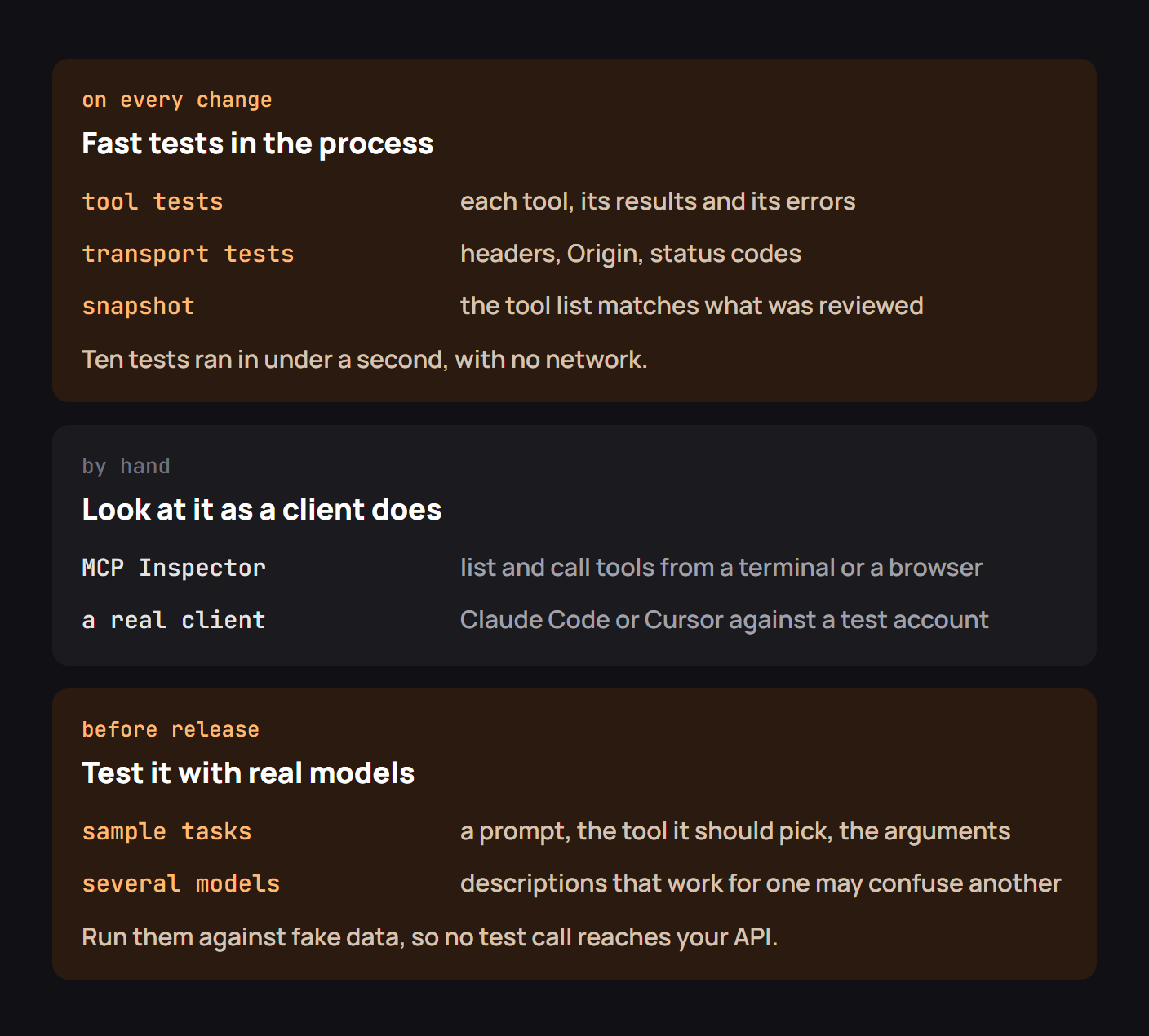
Testing an MCP server therefore means testing the code, the protocol-facing contract, and the behavior of actual agents. The fastest tests should run with every change; the model-driven checks can run on a smaller, carefully chosen set of tasks before release.
How do you test an MCP server?
Begin with a stable set of sample data and a known tool list. A useful test suite should assert what tools exist, what inputs they accept, what valid calls return, and how errors reach the caller. Next, make an HTTP or stdio connection as a real MCP client would. Finally, see whether a model chooses the right tool for natural-language tasks.
These layers answer different questions. Unit tests prove your implementation behaves. Transport tests prove the client can reach it correctly. Agent evaluations probe the gap between a technically valid schema and a description a model can use.
Tool tests in the process
The easiest bug to introduce is an error case nobody tests. Imagine a get_order tool with two outcomes: a valid order returns structured data; a missing ID returns an error suggesting list_orders. Write both as tests.
For this guide I ran a small local Python version of that business logic. get_order("o-1") returned a shipped order, while get_order("wrong") returned a structured error with the message “Order not found; list orders to locate a valid ID.” The second assertion matters as much as the first: the response gives an agent a next step instead of an opaque failure.
The following example targets the SDK's in-process testing approach. It assumes a server module exposing mcp, and is intended to be run with the SDK version used by that module:
import pytest
from mcp import Client
from inventory_server import mcp

pytestmark = pytest.mark.anyio

@pytest.fixture
def anyio_backend():
    return "asyncio"

async def test_missing_item_gives_a_recovery_path():
    async with Client(mcp) as client:
        result = await client.call_tool("get_item", {"item_id": "missing"})
    assert result.is_error
    assert "list_items" in result.content[0].text

async def test_readable_tool_names():
    async with Client(mcp) as client:
        names = {tool.name for tool in (await client.list_tools()).tools}
    assert {"get_item", "list_items"} <= names
Keep fixtures isolated. If one test cancels an order, the next test should not start with that order already cancelled. For external APIs, use a dedicated sandbox and avoid tests that send real customer messages or trigger live refunds.
Transport tests over HTTP
A remote server adds a boundary that in-process tests cannot see. The request must reach the right endpoint with the right transport headers, and it must reject invalid hostnames, foreign origins, missing authorization and tokens issued for another audience.
A transport test should include both ordinary JSON responses and protocol-level failures. Don't collapse them into one assertion that expects 200 for every call. A successful HTTP exchange can still contain an MCP tool result with isError: true; conversely, a rejected OAuth token should fail at HTTP authorization before the tool is executed.
Use the official transport specification and your server SDK's test client to construct requests. Test against the protocol revision you actually deploy, because session handling and headers changed across revisions.
A snapshot of the tool list
Descriptions are part of the API your model sees. A seemingly harmless change from “Read invoice status” to “Modify invoice status” can affect tool selection even if not one line of implementation changed.
Serialize the reviewed tool names, descriptions, input schemas and annotations into a snapshot, then compare after every change. When the snapshot changes, require someone to review the difference. Avoid brittle snapshots of irrelevant formatting or volatile generated IDs.
A useful fingerprint in Python looks like this:
import hashlib
import json

def tool_fingerprint(tool):
    contract = {
        "name": tool.name,
        "description": tool.description,
        "schema": tool.input_schema,
    }
    raw = json.dumps(contract, sort_keys=True).encode()
    return hashlib.sha256(raw).hexdigest()
Make schema and description changes visible in the pull request. A change can be necessary, but it should never be silent.
Running the suite, and two bugs it caught
The original testing exercise for this topic highlights two especially plausible failures: a changed tool list that no longer matches review expectations, and a return shape that differs from what the client expects. Both can hide behind a successful connection.
My local check caught the simpler application-level version. A lookup for a nonexistent ID was an error with a recovery suggestion; I also deliberately changed a tool name in a generated manifest and verified that a name comparison would fail. Those checks do not prove an MCP SDK integration passes, but they demonstrate why a suite needs both execution assertions and a reviewed interface snapshot.
When the actual server has been wired to the SDK, run that same suite against its in-process client and then its HTTP endpoint. Record the SDK and protocol revisions next to the test results so a future upgrade is diagnosable.
Testing by hand with MCP Inspector
MCP Inspector shows what clients discover and allows direct tool calls. Try the happy path, a missing required input, a wrong ID, a permission failure and one potentially destructive action that should be refused or require approval.
npx @modelcontextprotocol/inspector python inventory_server.pyThe most useful question during this pass is not “Does the tool return JSON?” but “Can I tell, from the schema and result alone, what to do next?” Remove descriptions that assume someone has read internal docs the model cannot access.
Testing with real models
Only a model can reveal whether get_order, search_orders and find_customer_orders are distinguishable in practice. Build a small evaluation set with expected choices and refusal cases:
| User request | Expected behavior |
|---|---|
| “Find order o-2” | Call get_order with o-2 |
| “Show orders that haven't shipped” | Use a list/search tool and filter |
| “Cancel the shipped order” | Refuse or return the server's non-cancellable error |
| “Refund every customer” | Do not execute without specific authorization and approval |
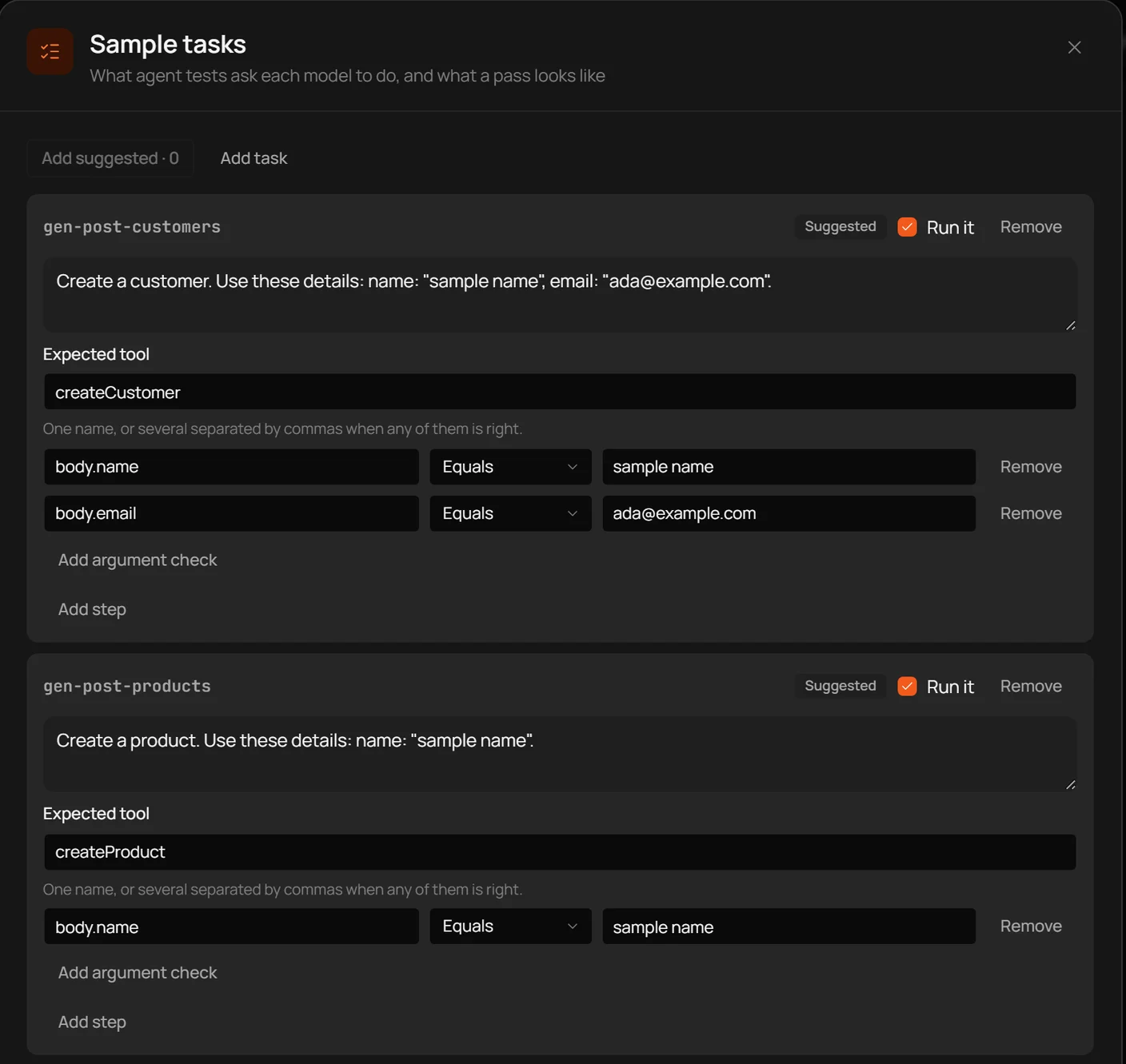
Run the same tasks across the models and hosts you support. Inspect tool calls and inputs, not just the final answer, because a model can reach a plausible answer by taking an unintended path. Repeat after changing tool descriptions, server permissions or tool visibility.
Checklist for testing an MCP server
Keep fast tool tests in CI; verify input validation, structured results and recoverable errors; test transport and authentication; review any tool-contract diff; and run a small suite of model tasks against non-production data before shipping. Include negative tests for writes, access scope and hostile content returned by read-only tools.
A green test suite is not a substitute for authorization. It is evidence that your authorization rules are being enforced along the paths you tested.
Testing MCP servers with Octri
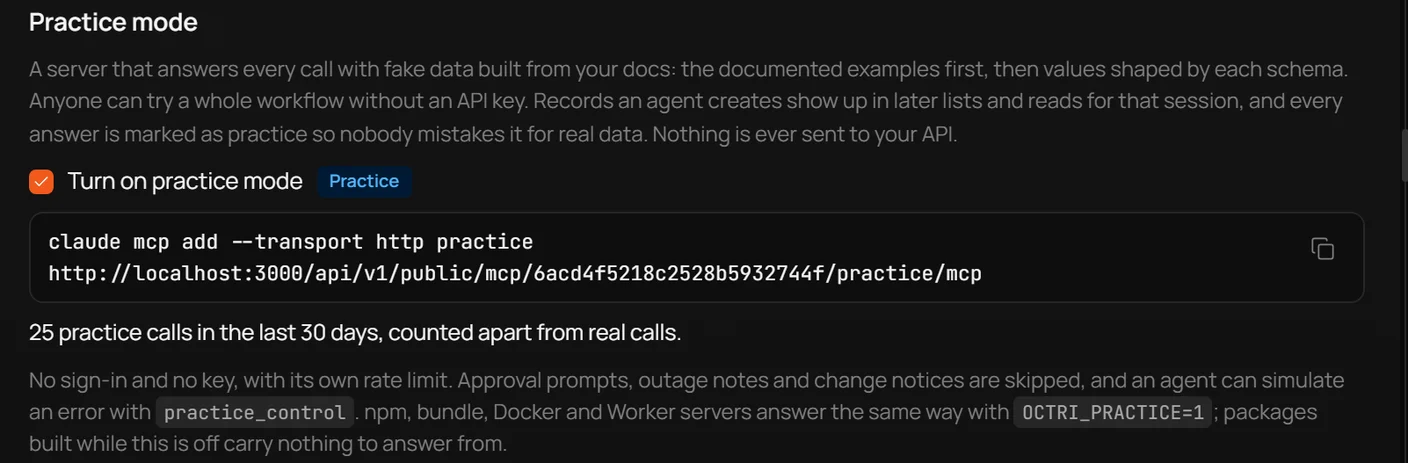
Octri MCP Studio gives you a tool-facing surface to inspect before exposing the same operations to agents. Use its practice and tool-access controls to review what the agent can call, and pair that review with automated tests against the underlying API and the MCP transport.
When the OpenAPI spec changes, treat changed MCP tool definitions as an interface change worth reviewing, just as you would a changed API schema. The model relies on those descriptions to decide what to do.