By the Octri team · Updated
SDK vs API: the difference, with code examples
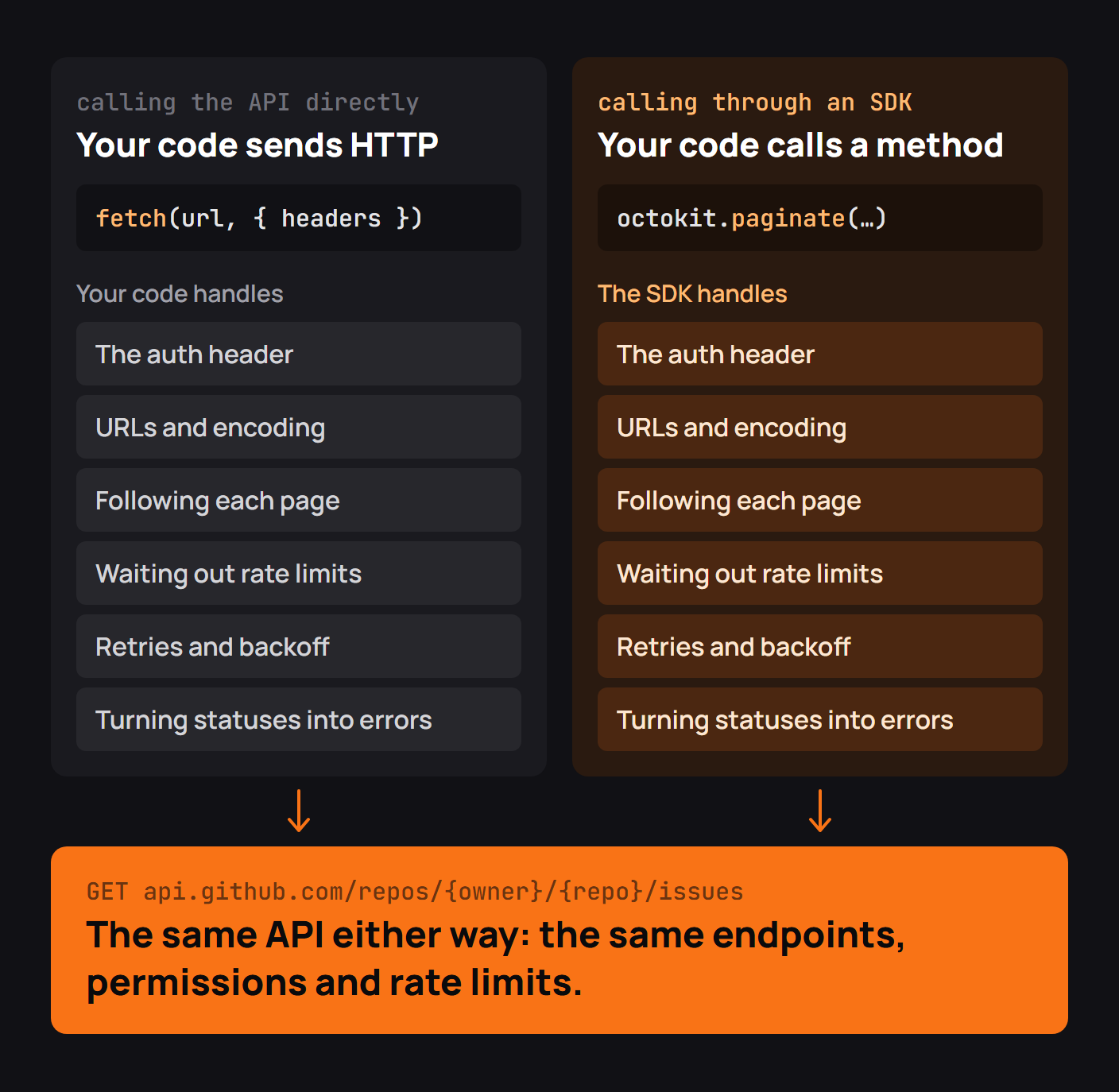
Developers sometimes ask whether they should call an API or use its SDK, as though the choices lead to different services. They don't. An SDK calls the same API under the hood. The difference is in the amount of HTTP machinery that belongs to your application.
What is the difference between an SDK and an API?
The API is the service's contract: methods, paths, parameters, authentication and responses. The SDK is a package installed into your codebase that makes requests following that contract. Direct calls work in any language with an HTTP client. An SDK is tailored to one language's conventions and can offer types, pagination, error classes and retry policy on top.
Neither is a free pass. An SDK cannot bypass authentication or rate limits, and it cannot make an unavailable operation exist.
SDK vs API at a glance
| Question | Direct API call | SDK call |
|---|---|---|
| Who constructs the URL? | Application | Library |
| Where is the credential set? | Each caller or its shared HTTP helper | Client configuration |
| Who follows pagination? | Application code | SDK helper, when provided |
| What represents errors? | HTTP status and response body | Language-specific error values |
| How is it updated? | API contract changes | Package releases plus API changes |
The same task both ways
I compared the approaches with a small local orders endpoint that returns two pages of data. The direct HTTP loop made two requests, and a client-library iterator also made two requests and produced the same two orders. The server did not become more efficient just because a wrapper appeared. The improvement was in where the cursor-following logic lived.
The direct shape looked like this:
items, cursor = [], None
while True:
    response = requests.get(base + '/v1/orders',
                            params={'cursor': cursor} if cursor else None,
                            timeout=2)
    response.raise_for_status()
    page = response.json()
    items.extend(page['data'])
    cursor = page['next']
    if not cursor:
        break
The corresponding application code with a client exposing an iterator was simply:
items = list(client.orders())Both paths made two network calls in the local test. The latter gives the provider one place to fix cursor handling for everyone who installs the package.
What an SDK cannot change
A 429 still means the provider is rate limiting you, even if the SDK turns it into RateLimitError. A request requiring permission still requires permission. If an API does not promise idempotency, a client cannot safely retry writes merely by inventing a header.
Think of the SDK as a maintained interpreter of the public contract, not as an alternative contract.
What an SDK adds on top of the API
A well-designed SDK offers typed inputs and outputs, consistent authentication setup, controlled retries, streaming and pagination abstractions, and error types that are natural in the language. This is most valuable when many different teams would otherwise maintain near-identical wrappers against the same service.
API versions and SDK versions
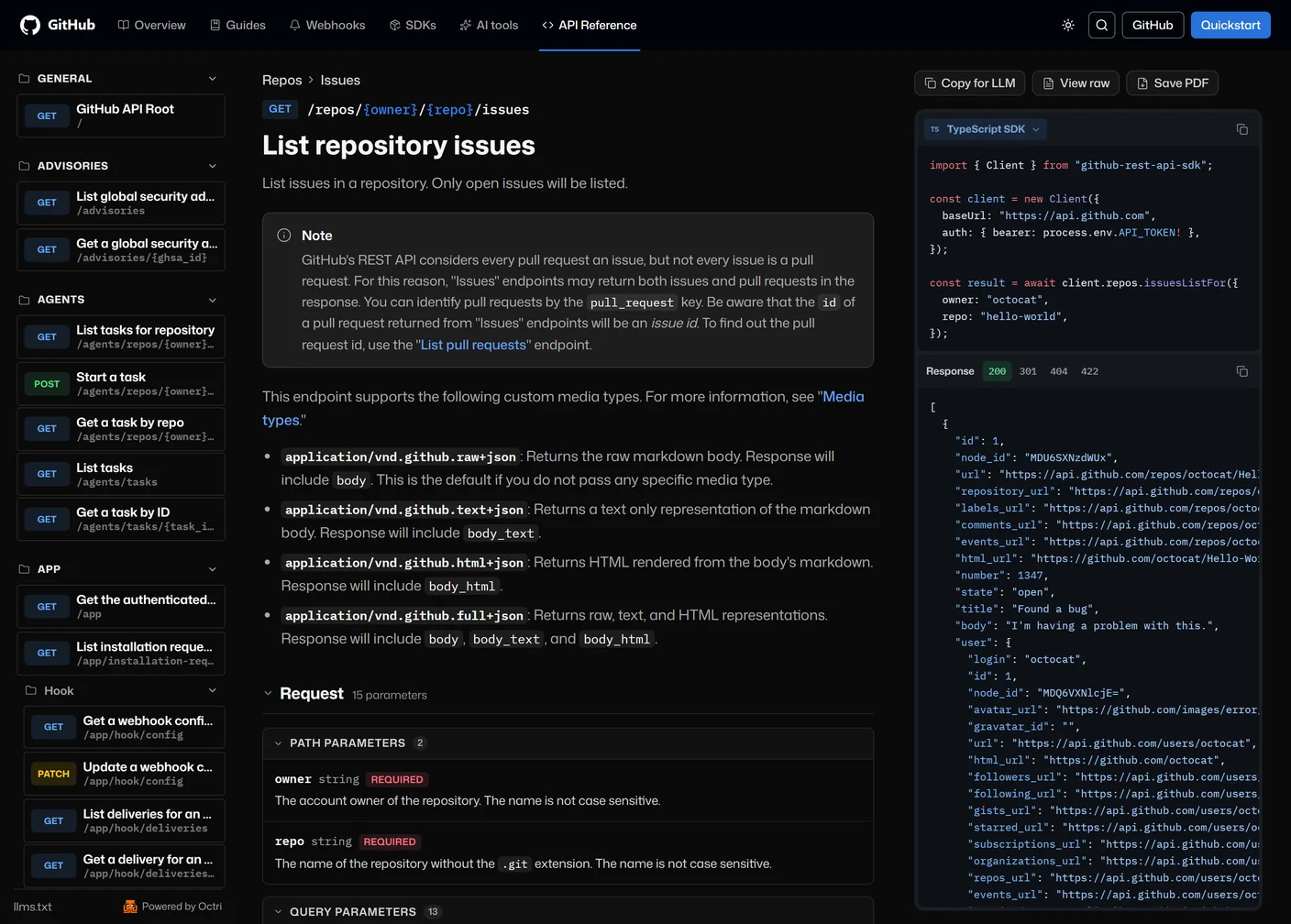
An API revision describes what the server accepts and returns. A package version describes the client code a developer installed. They may evolve on separate schedules. A new SDK can add better retries without changing the HTTP API; a new API field may require a package update before typed SDK callers can use it.
Check the provider's compatibility policy. Some APIs use dated versions or version headers; package registries commonly use semantic versions. Record both when debugging a mismatch.
Terms that get mixed up
An API client library is typically an API SDK. An API wrapper may be a thin community package, while an official SDK often includes a wider supported surface and maintenance promise. A framework is different: it frequently controls the shape of your application. None of these labels tells you whether a specific package implements the behaviors you need, so inspect its docs and tests.
When to call the API directly
Direct requests make sense for a quick diagnostic, an unsupported endpoint, a runtime without an official client or a small integration that benefits from minimizing dependencies. They also let you inspect the exact HTTP exchange when a library is behaving unexpectedly. Build one internal helper for authentication and timeouts rather than repeating fragile ad hoc requests everywhere.
When to use the SDK
Choose the SDK when your application makes many calls, needs pagination or typed models, or would otherwise duplicate a complicated authentication and retry policy. Prefer an actively maintained official client that supports your runtime. Read its defaults rather than assuming it behaves exactly like your handwritten code.
SDK or API: a checklist
Check whether the SDK covers the operations you need, when it last released, how it handles failures, whether you can override timeouts and transports, and which API version it targets. If the answers don't fit, direct HTTP remains a valid route.
SDKs and your API with Octri
Octri can generate client libraries from an API specification while keeping API documentation close to the operations they call. Use that shared source to make the SDK a faithful, idiomatic way of reaching the API rather than a second interface that drifts from it.