By the Octri team · Updated
How to customize a generated SDK: overlays, hooks and wrappers
Changing generated code is easy. Keeping that change after the next release is the hard part. A generator owns the files it writes, so customization needs a home upstream of those files or a stable extension point beside them.
How do you customize a generated SDK?
Start by locating the source of the problem. If the API operation is named badly, fix the OpenAPI description. If you do not control that description, use an overlay. If the desired behavior is common to every method, look for a generator setting. If it must execute during one request, use a hook. If it combines several requests into a workflow, consider a wrapper library.
That order keeps simple changes from becoming a lifetime of custom maintenance.
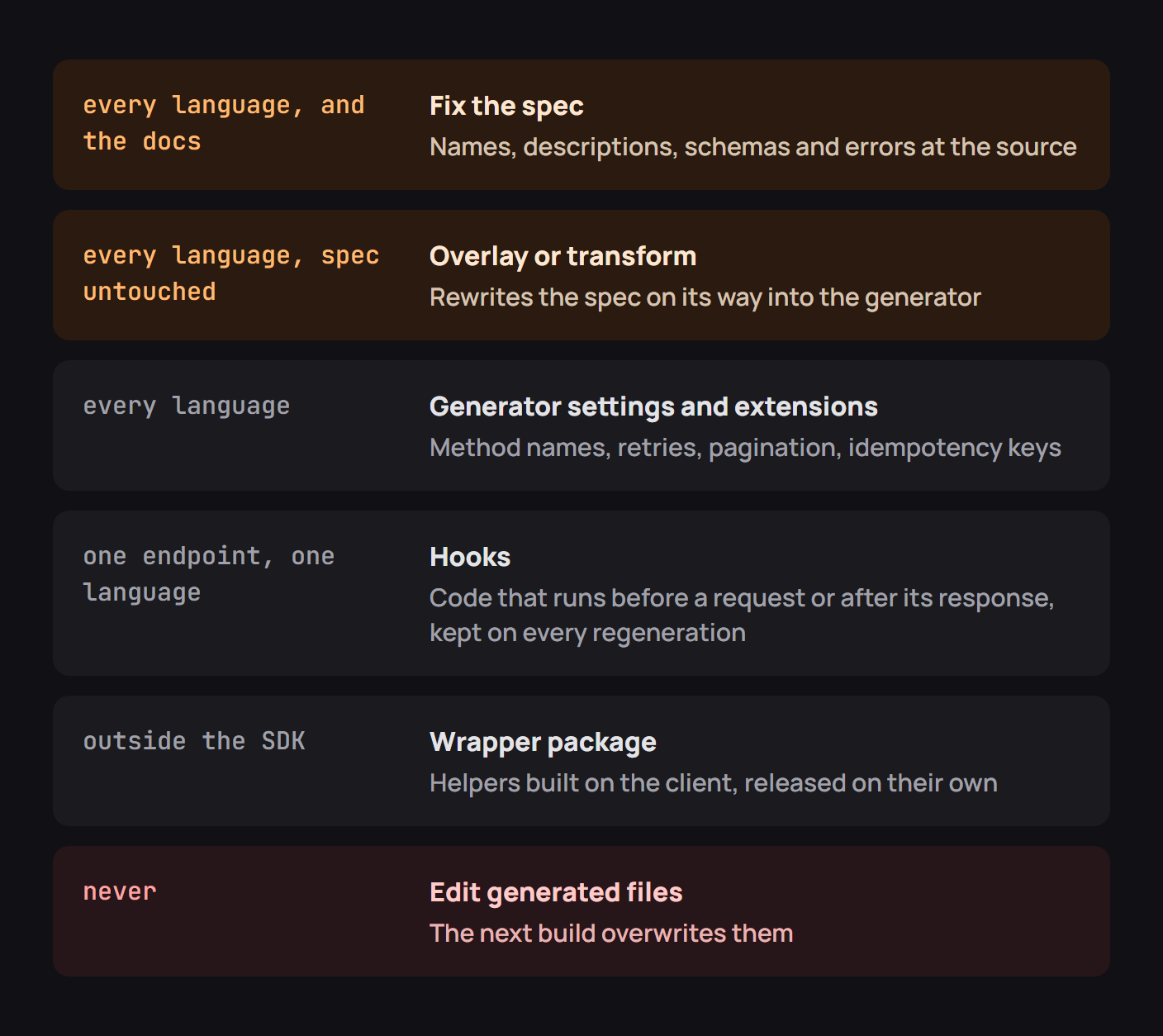
Which customization fits which change
| Change needed | Best first place to look |
|---|---|
Rename post_v1_orders_create |
operationId in the spec or an overlay |
| Hide an internal operation | Generator inclusion rules or an overlay |
| Change retries for the whole client | Generator configuration |
| Add a signature based on the final body | Before-request hook |
| Poll until a new order is complete | Handwritten wrapper |
Try the highest-level solution that preserves the meaning. An override applied before generation benefits every target language. A patch applied to a TypeScript file only benefits TypeScript until regeneration erases it.
Fix the spec first
The public methods of a generated SDK are an unusually honest review of an API description. An ugly operationId appears as an ugly method. An unnamed response schema becomes an awkward type. An omitted error description can become a generic exception.
I tested a small projection of an orders spec to make the naming problem visible. With post_v1_orders_create as its operation ID, the projected method carried that same name. Replacing only the spec value with createOrder changed the projected public method without any edits to output files. This was a miniature naming test, not a run of a full SDK generator, but it illustrated why the source is the durable place for the correction.
Apply an OpenAPI overlay
Sometimes the upstream spec is produced by another service or owned by another team. An OpenAPI Overlay provides a versioned set of modifications applied before generation. For example:
overlay: 1.1.0
info:
  title: SDK-facing operation names
  version: 1.0.0
actions:
  - target: $.paths['/v1/orders'].post
    update:
      operationId: createOrder
      summary: Create an order
Keep the overlay in version control beside the spec and generator configuration. Validate the transformed output in CI and ensure a target that no longer matches fails visibly rather than silently leaving an old method name in place. Overlay support varies by tool and version, so test the transform you actually use.
Use the generator's settings and extensions
A generator may already support method grouping, argument style, HTTP transport, timeouts, pagination and package naming. Those settings should be exhausted before you write replacement code. Vendor extensions in the spec can also convey extra hints, provided your generator explicitly understands them.
The important distinction is between a declared setting and an undocumented side effect. A setting can be reviewed and reproduced; a manual tweak to a file is just an untracked fork.
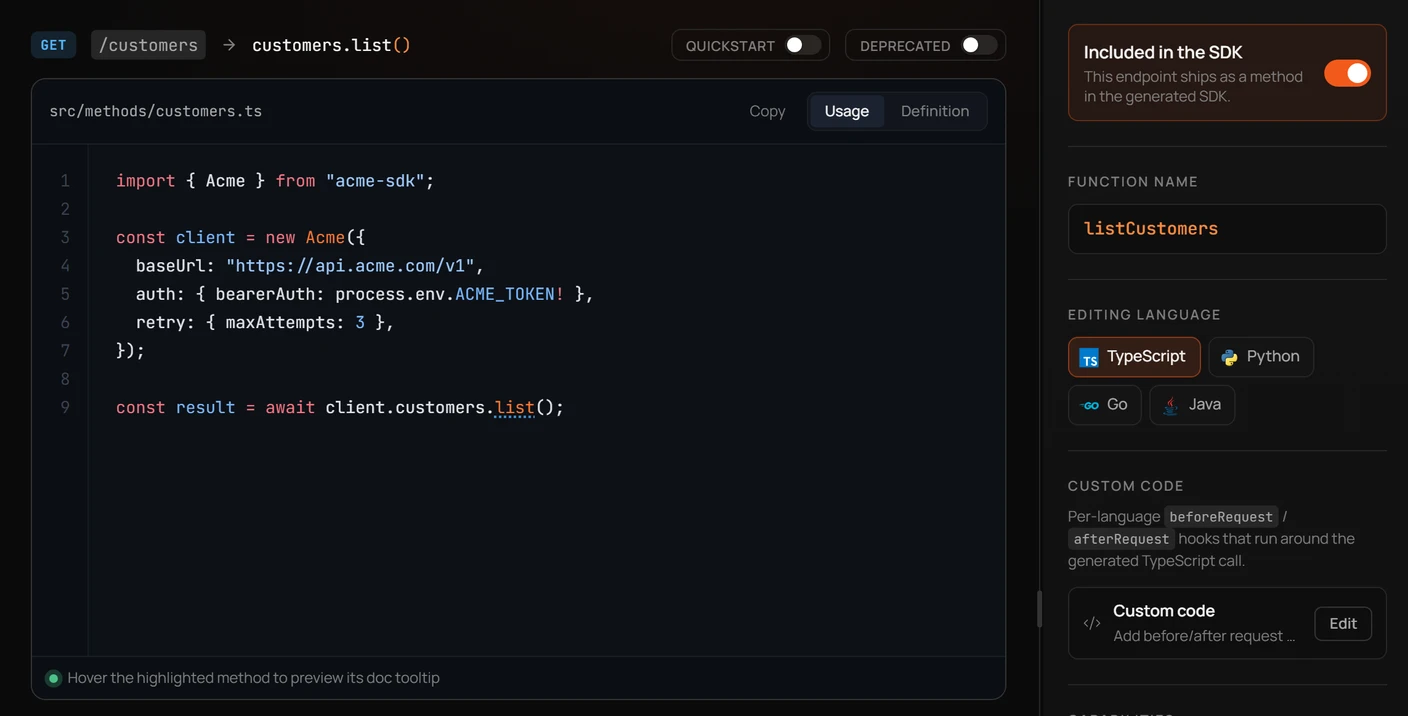
Write a hook
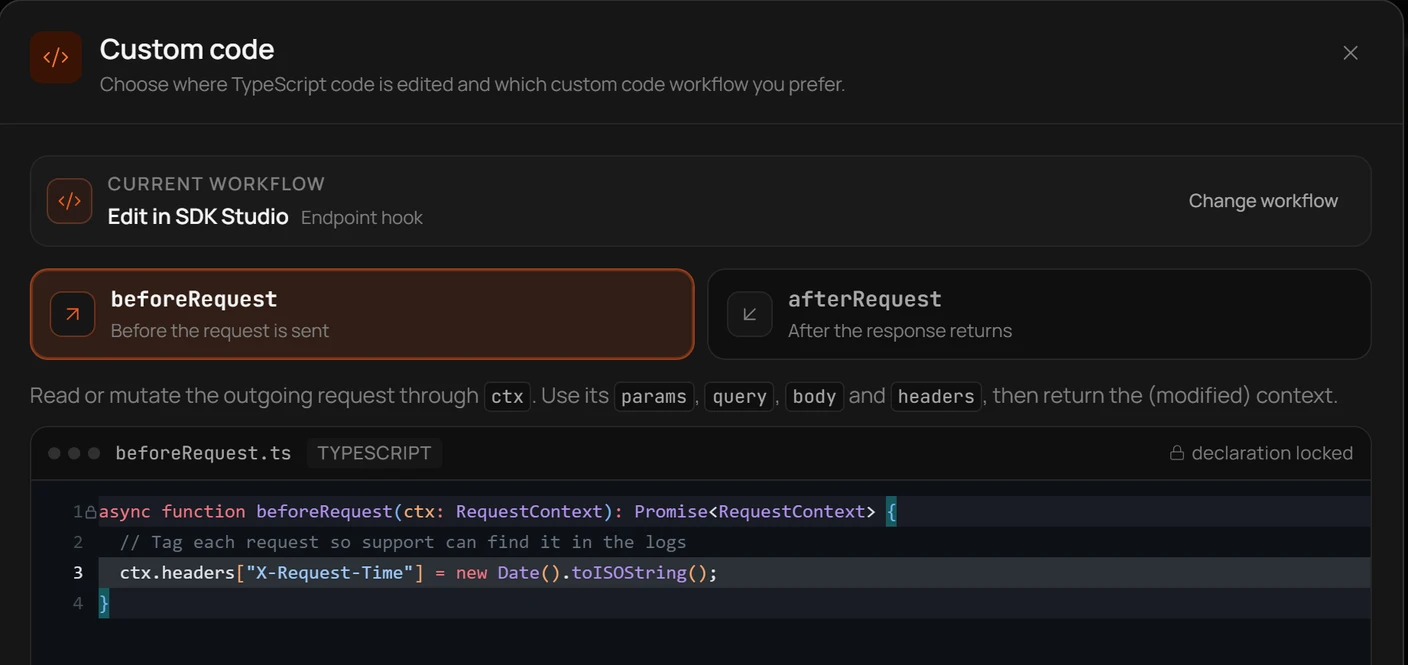
A request hook belongs at a defined seam, such as before signing and sending a request or after receiving a response. Use it when the desired operation really depends on the final request or response rather than metadata in the spec.
async function beforeRequest(ctx: { headers: Record<string, string>; body?: string }) {
  // Example: a value derived from the final serialized body.
  ctx.headers['X-Body-Length'] = String(ctx.body?.length ?? 0);
}
For actual cryptographic signing, the hook needs access to the exact bytes that will be sent, and it must run after all transformations that can change those bytes. Keep hooks small and test them through the same request path the generated client uses.
Build a wrapper package
A task such as waitUntilPaid(invoiceId) might make several API calls with delays between them. It usually belongs outside generated endpoint methods, in handwritten code that composes them. The generated client remains responsible for protocol details; the wrapper is responsible for the workflow.
A separate package is one choice. A protected handwritten directory within the SDK repository is another, as long as the generator never overwrites it. The client should remain usable without the wrapper for callers who prefer lower-level control.
Own the generated repository
Treat generated output as a real release artifact: pin the generator version, verify deterministic builds and review meaningful diffs. Put custom behavior in templates, configuration or excluded directories that survive regeneration. If an output patch is unavoidable during an incident, record the upstream fix immediately so the next rebuild does not bring the bug back.
Common customization mistakes
Editing generated models directly is the obvious one. Others are subtler: an overlay that no longer matches a renamed path, a before-request hook that changes an already-signed body, and an SDK-specific rename that makes docs samples disagree with package exports. The repair is to make the customization testable in the build pipeline.
Customization checklist
Regenerate twice with no input changes and expect no diff. Apply a small spec change and confirm your hooks and wrappers still compile. Check every target language's public method names, and test a real request through each custom seam. A customization is complete only when a future maintainer can reproduce it from the repository.
Customizing SDKs with Octri
Octri SDK Studio exposes language-specific method settings and code hooks through its interface. Use those controls for intentional differences, then verify the preview against an actual generated package. The strongest customization is one you can regenerate without remembering which file you edited last time.