By the Octri team · Updated
What is WebMCP? Tools a web page gives AI agents in the browser
Imagine an assistant trying to change a shipping address while you watch in the browser. It can click through forms, read labels, and hope the page has not moved. Or the page can tell the assistant that it offers a change_shipping_address action, which fields that action accepts, and what the result means. The second path is the idea behind WebMCP.
WebMCP is an emerging browser API for offering structured actions to agents operating in a web page. It borrows the language of MCP but runs inside the browser tab rather than on a remote MCP server. That difference is easy to miss, and it matters for security, state and what a tool can see.
What is WebMCP?
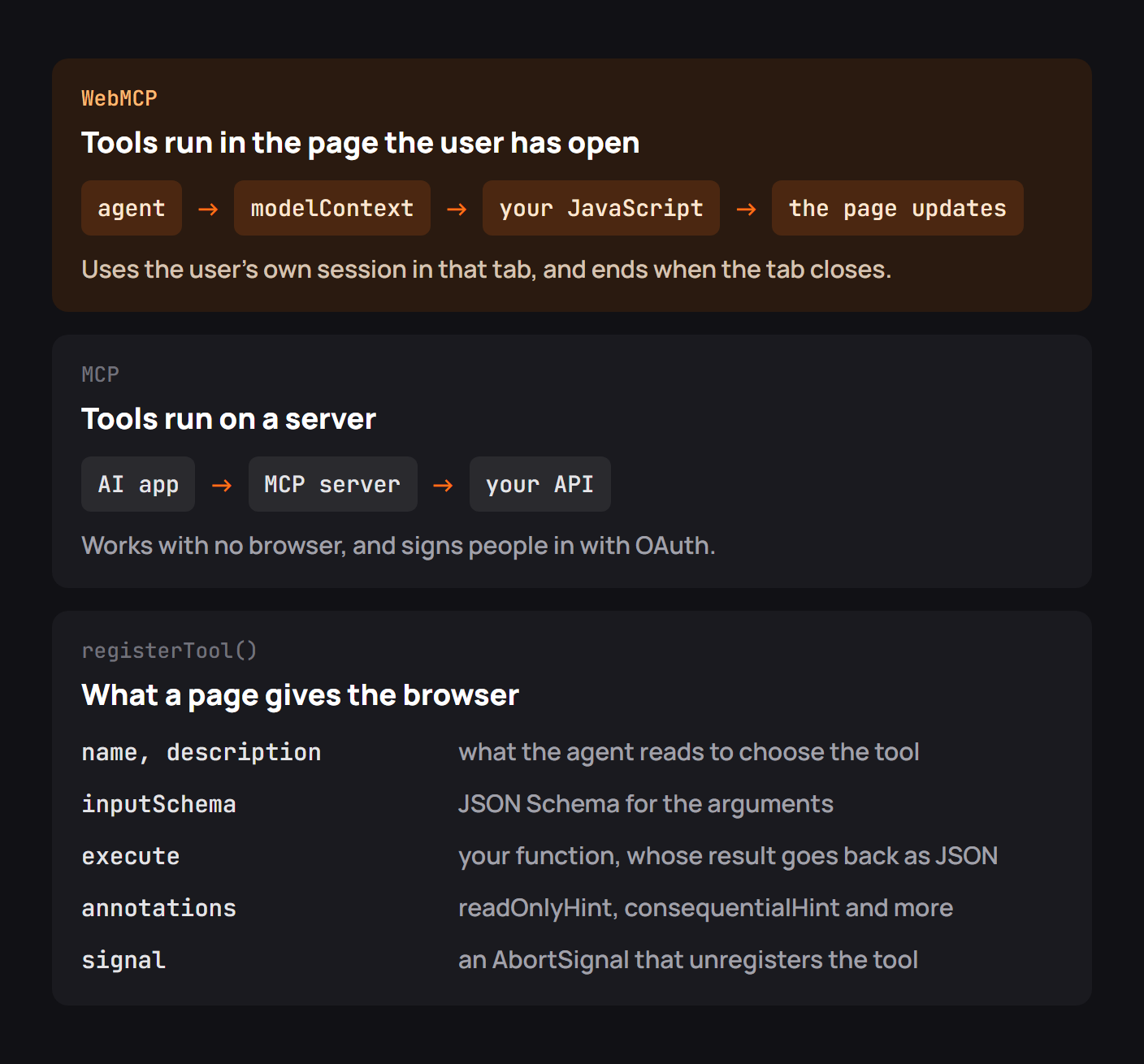
A page may register a tool using document.modelContext.registerTool(): a name, a description, an input schema, and the JavaScript that executes it. An agent with access to the page can discover and call that tool instead of reconstructing the workflow from visual controls. A second, declarative route can expose ordinary forms through attributes.
The browser still mediates the experience; a website cannot assume that every visitor runs an agent or that every browser implements the draft. The feature is designed to coexist with ordinary forms and accessible controls, not replace them.
| WebMCP | Backend MCP |
|---|---|
| Registered by code in the current page | Advertised by a local or remote server |
| Uses the page's current state and session | Uses server-side credentials and state |
| Disappears when the page closes | Exists independently of a tab |
| Intended for browser-based agents | Available to general MCP clients |
Where WebMCP stands in November 2026
WebMCP remains an evolving Community Group specification rather than a broadly deployed web standard. Chrome documents its early-preview implementation and the #enable-webmcp-testing flag. The API shape can change, and that should be visible in any deployment plan.
In the current Chrome documentation, document.modelContext is the imperative entry point. Earlier examples on the internet may use different objects or prerelease property names. Check the Chrome developer guide and the Community Group draft before relying on a code example from an older post.
A useful implementation should also degrade gracefully. When document.modelContext is absent, your normal UI and form submissions still have to work. That is not merely a compatibility feature; it ensures the user remains in control of the site without an agent.
Registering tools on a page
A minimal product-search tool could read the site's existing application state and return a small result:
if ("modelContext" in document) {
  await document.modelContext.registerTool({
    name: "find_products",
    description: "Search the visible catalog by keyword; does not place an order.",
    inputSchema: {
      type: "object",
      properties: { query: { type: "string" } },
      required: ["query"]
    },
    annotations: { readOnlyHint: true },
    async execute({ query }) {
      return catalog.filter(p =>
        p.name.toLowerCase().includes(query.toLowerCase())
      );
    }
  });
}
This illustrates the interface, not a complete security policy. An action that changes state must validate its arguments and enforce authorization using the same application rules as the human UI. Do not rely on a tool's description as permission to run.
For ordinary forms, WebMCP's declarative model can expose a form without rewriting its business logic. That makes it especially interesting for sites where “submit this form” is the useful action, provided the application continues to validate and confirm consequential submissions.
Calling the tools the way an agent does
A concrete external example is more revealing than a synthetic list of API methods. In a July 2026 Chrome for Developers walkthrough, Alexandra Klepper demonstrated both the imperative and form-based approaches, then used Chrome DevTools to inspect and test what an agent would discover. The important part of her demonstration was the testing surface: developers could see the tool contract in the Application panel before asking an agent to use it.
That experience changes how you debug a browser agent. Instead of asking only whether a button is clickable, you inspect the registered name, its schema, and the result the page returns. A form with a missing required field is then a contract problem you can diagnose directly, not a mysterious failure in an agent's visual reasoning.
The GoogleChromeLabs demo repository extends this idea with travel search, restaurant booking and other sample interfaces. These are developer demonstrations, not evidence that every production browser supports WebMCP yet.
Three things our test showed
The original Chrome 157 browser test recorded in the source material for this topic found document.modelContext absent until the testing flag was enabled. It also found that the API was available on document, not the older navigator location seen in some previews. Those observations are tied to that browser build and should not be treated as an evergreen compatibility table.
The more durable lessons are straightforward. Feature-detect before registering; prefer stable, explicit tool names; and test a tool's behavior when page state changes. A tool that is registered while a record is open should not later act on a different record merely because the user navigated.
Use an AbortController or the lifecycle mechanism recommended by the current API to unregister tools when the component or page no longer owns them. An agent should never see a stale tool that refers to a destroyed part of the UI.
Security and privacy
WebMCP inherits the page's environment, which is convenient but not an invitation to bypass authorization. A tool executing in a signed-in tab may have access to the same data and actions as that user. Consequential actions need visible confirmation and server-side checks just as they would if a person clicked a button.
Tool descriptions themselves should be treated as untrusted input by clients. Pages can be compromised, and a malicious website can register a convincingly named tool. Do not trust a readOnlyHint from an unknown page as proof that execution is harmless.
When to use WebMCP, MCP or both
WebMCP makes sense when an agent is already working inside a website and should operate the user's current interface. Backend MCP makes sense when an assistant should access an API even when no browser tab is open. A developer platform can reasonably expose both: browser tools to help someone navigate its documentation and a remote MCP server to perform API operations.
These are complementary paths, not interchangeable transports. A browser tool may use a session cookie the user already has. A remote server generally needs its own authorization flow and cannot assume access to that browser session.
Checklist for adding WebMCP to a site
Start with one narrow action, feature-detect the API, expose a precise input schema, and keep the ordinary interface functional. Test registration, execution, navigation and cleanup; validate permissions on the server; ask before consequential writes; and review descriptions for accuracy. Use the browser's current developer tools rather than assuming a successful page render proves an agent can call the tool.
If the user can understand what happened without reading an agent transcript, you are closer to a good experience.
WebMCP with Octri
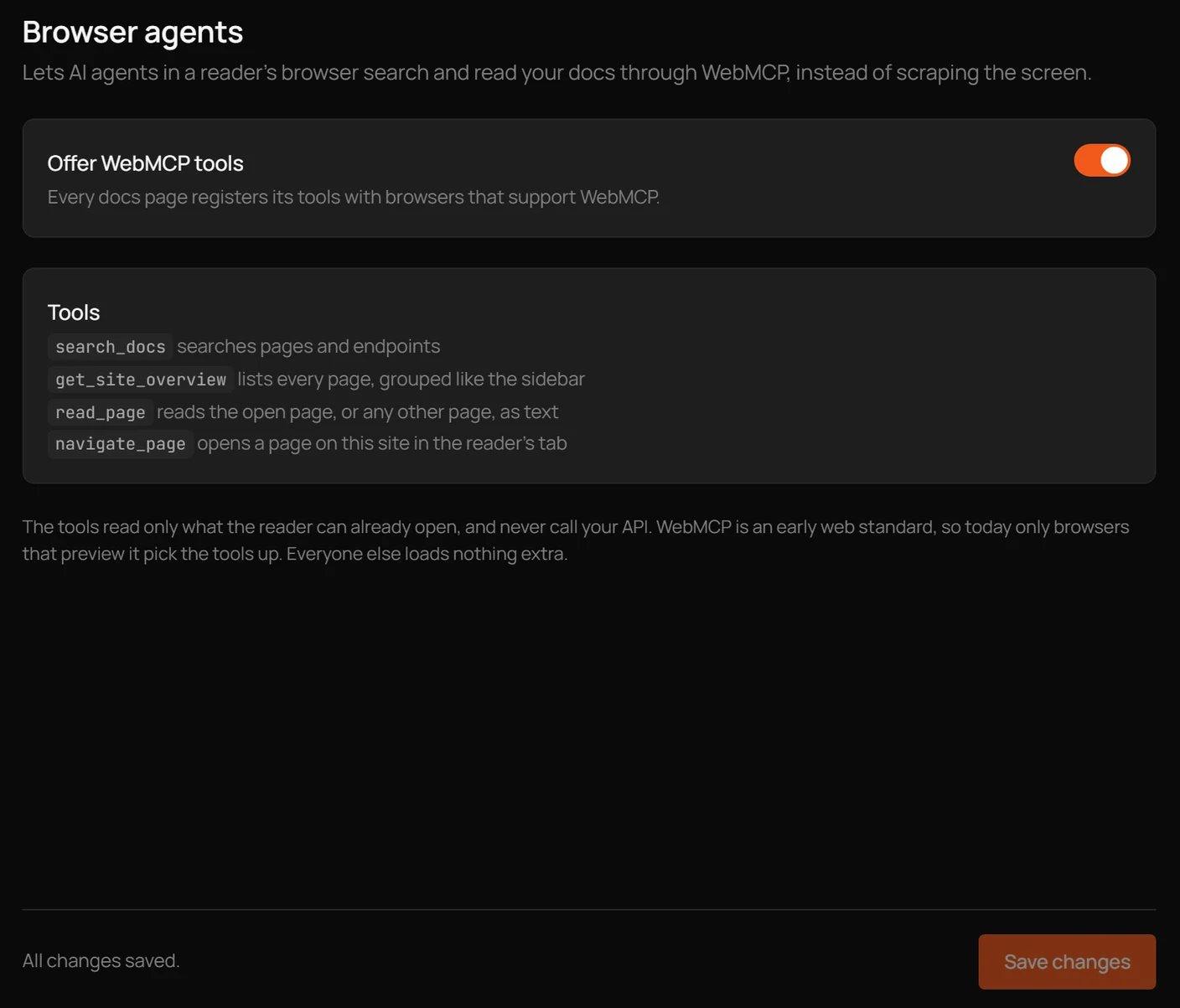
Octri API Studio can expose read-only browser-agent tools for documentation workflows, such as searching pages, reading content and navigating the docs. Those are appropriate WebMCP actions because they operate within the browser's current context rather than changing an account through the API.
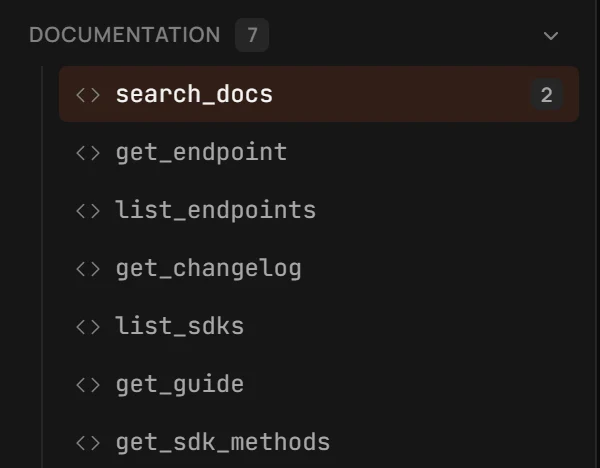
For API actions that must work outside the page, use a hosted MCP server and its authorization controls. A clean separation between reading documentation in the tab and invoking backend operations keeps the responsibilities understandable to developers and agents alike.