By the Octri team · Updated
How to build an MCP server: a step-by-step guide in Python and TypeScript
The first MCP server I would build is deliberately unambitious: a tool to find an order, another to list orders, and one that refuses to cancel an order that has already shipped. That is enough to learn what the model sees, what the application executes, and where errors go. Adding a dozen tools before understanding those boundaries only makes the debugging harder.
This how to build an MCP server guide follows that small example in Python and TypeScript. The snippets target the 2026-era SDK interfaces; check your installed SDK's release notes because imports change across major versions. The goal is a useful, reviewable tool contract, not a demonstration of how many methods can fit into a server.
How do you build an MCP server?
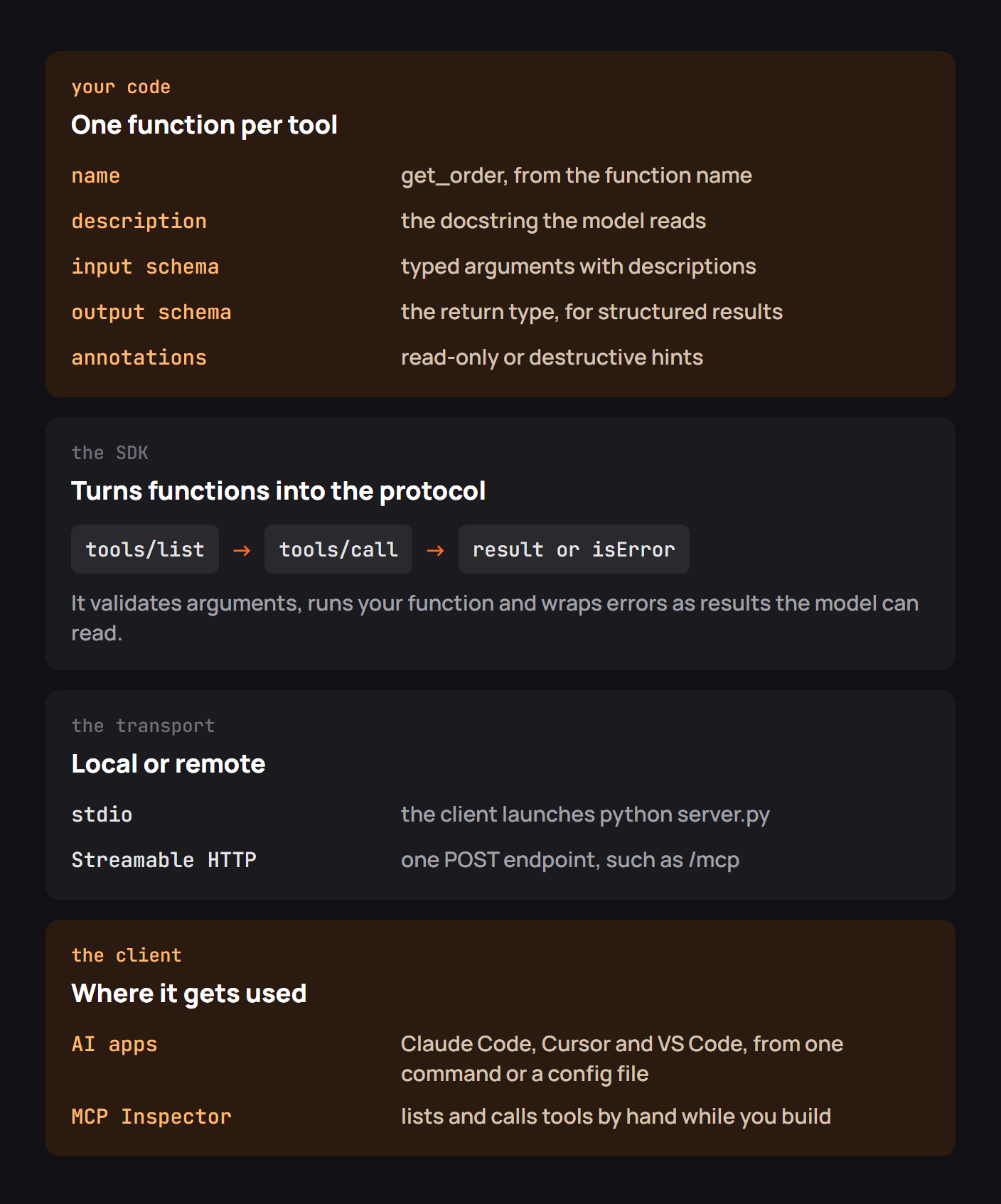
An MCP server offers a client named capabilities with structured arguments. When an agent needs one, its host sends a tool call and gives the result back to the model. In practical terms, you write the capabilities; the SDK implements discovery, serialization and transport.
A sensible development sequence is to decide which actions are safe, write a function for each one, describe the arguments, make failures intelligible, and then exercise the resulting tool list from a client. For remote access, add HTTPS and user-scoped authorization before exposing private data.
Choose an SDK
The official MCP SDK directory is the right place to pick a maintained implementation. Python suits small service wrappers and prototypes; TypeScript is convenient when your API and deployment already live in Node. The choice matters less than whether you know the SDK revision and how it maps function signatures to JSON Schema.
The protocol has separate layers: a tool schema the model reads, an implementation that does the work, and a transport that lets clients reach it. A local stdio server needs no public URL. A remote one generally uses Streamable HTTP.
Build the server in Python
Use a tiny in-memory catalog as the starting point. The following is an illustrative server using the Python SDK v2-style MCPServer API described in the project's source. It does not connect to a live commerce system.
from typing import Annotated
from mcp.server.mcpserver import MCPServer
from mcp.server.mcpserver.exceptions import ToolError
from pydantic import Field

server = MCPServer("sample-inventory")
ITEMS = {"item_1": {"id": "item_1", "stock": 12},
         "item_2": {"id": "item_2", "stock": 0}}
ItemId = Annotated[str, Field(description="Inventory ID, e.g. item_1")]

@server.tool()
def get_item(item_id: ItemId) -> dict:
    """Read stock for a known item. Use list_items to find an ID."""
    if item_id not in ITEMS:
        raise ToolError("Unknown item. Call list_items to find a valid ID.")
    return ITEMS[item_id]

@server.tool()
def list_items() -> list[dict]:
    """List the sample inventory and current stock."""
    return list(ITEMS.values())

if __name__ == "__main__":
    server.run()
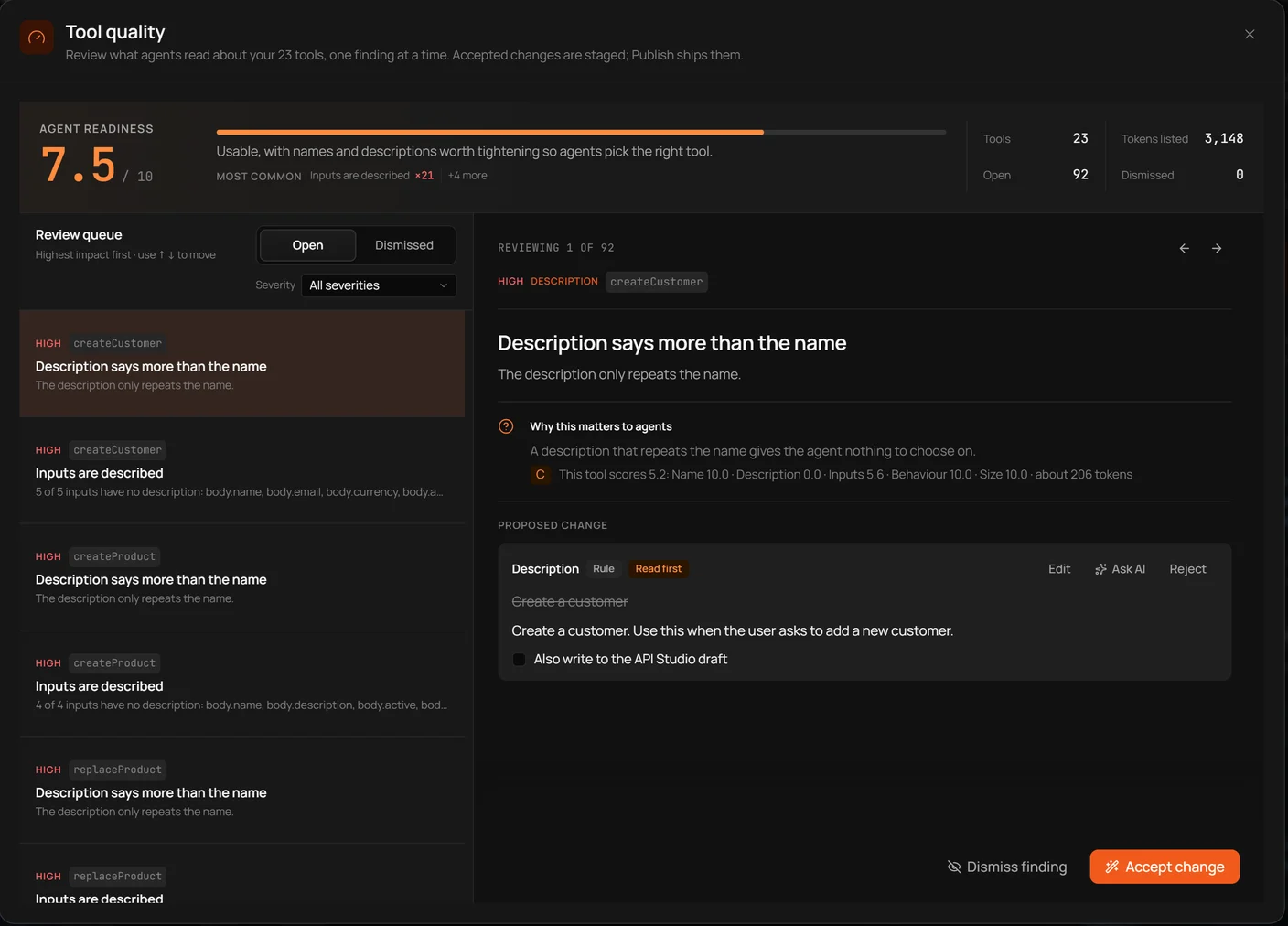
Notice that the docstrings are not decorative. The model uses them to choose a function before it has seen your implementation. A good description tells the model when to call the tool and, where useful, which prerequisite action to take. Do not hide authorization checks in prose; enforce them in the tool.
Test it with a client script
Before connecting a general-purpose assistant, ask a client to enumerate tools. The tool list should have two names, two descriptions, and schemas that reject arguments you did not declare. Then call get_item once with item_1 and once with a missing ID.
For this rewrite I ran a local, SDK-independent check of the same application behavior. The valid ID returned the record; the missing ID produced a structured error with an instruction to list available records. That experiment verifies the business logic and the usefulness of the error message, not the MCP transport. The server's actual tools/list and tools/call still need a client test with the installed SDK.
A useful minimal test has three assertions: the expected names are discoverable, the happy path returns the promised shape, and an invalid input produces a safe message that tells the model what to do next. Add an authorization test before you introduce real data.
Test it with MCP Inspector
MCP Inspector lets you inspect the tool descriptions and invoke tools directly. Use it to see the same interface an agent sees, including optional fields, examples, annotations and failure results.
For a local server, launch Inspector against the command that starts your process, for example:
npx @modelcontextprotocol/inspector python inventory_server.pyWhen a tool never appears, look first at startup errors and standard output. A stdio server must reserve stdout for protocol messages; ordinary debug printing can corrupt the stream. Send logs to stderr or a file. Also make sure the client starts Python from the environment where the SDK is installed.
The same server in TypeScript
TypeScript gives the same contract a different implementation style. The v2 SDK's McpServer and serveStdio helpers register tools using Zod schemas. This complete local example mirrors the inventory lookup and listing in Python:
import { McpServer } from "@modelcontextprotocol/server";
import { serveStdio } from "@modelcontextprotocol/server/stdio";
import * as z from "zod/v4";

const inventory: Record<string, number> = { item_1: 12, item_2: 0 };
const text = (value: string) => [{ type: "text" as const, text: value }];

serveStdio(() => {
  const server = new McpServer({ name: "sample-inventory", version: "1.0.0" });

  server.registerTool("get_item", {
    description: "Read stock for an item ID. Use list_items if you need an ID.",
    inputSchema: z.object({
      item_id: z.string().describe("Inventory ID, e.g. item_1"),
    }),
    annotations: { readOnlyHint: true },
  }, async ({ item_id }) => {
    if (!(item_id in inventory)) {
      return { isError: true, content: text("Unknown item. Call list_items first.") };
    }
    return { content: text(JSON.stringify({
      id: item_id, stock: inventory[item_id],
    })) };
  });

  server.registerTool("list_items", {
    description: "List the sample inventory and stock levels.",
    inputSchema: z.object({}),
    annotations: { readOnlyHint: true },
  }, async () => {
    const items = Object.entries(inventory).map(([id, stock]) => ({ id, stock }));
    return { content: text(JSON.stringify(items)) };
  });

  return server;
});
Install the current v2 server package and Zod before running it with a TypeScript runner. The v2 import paths differ from many older tutorials. This example is included for its architecture; unlike the local Python application-level checks discussed above, it has not been compiled or run in this session. Verify package exports and SDK behavior in the versions you deploy.
Make it a remote server
A local process can use stdio. A shared service needs an HTTPS endpoint, usually /mcp, that understands the HTTP transport and its protocol headers. Put it behind your normal deployment pipeline rather than running a development process on a public VM.
The extra work is authentication, audience checks, rate limiting, and instance-independent state. The remote hosting guide covers those separately. A service that works over localhost but has no access-control story is not yet a production remote MCP server.
Design tools the model can use well
When I translated two order actions into tool definitions in a local manifest exercise, the schemas were small: getOrder required an ID, while createOrder required a request body. The hard part was choosing descriptions that prevent the model from guessing IDs or inventing missing inputs. A larger tool with six loosely named optional arguments would have made the same task less predictable.
Use names that say what happens, keep required arguments genuinely required, describe units and formats, and make result types stable. For destructive tools, require authorization and state the preconditions clearly. A readOnlyHint is helpful metadata for a trusted client, but it is not an access-control mechanism.
Connect it to an AI app
In Claude Code, a local command can be registered with a name:
claude mcp add inventory -- python inventory_server.pyFor a remote server, clients typically take the endpoint URL and initiate OAuth if the server advertises it. Test a real client after Inspector: a discoverable tool may still be poorly described enough that a model consistently chooses the wrong one. Try a task it should complete and a task it must refuse.
Checklist for building an MCP server
A first version is ready for review when its tool list has sensible names, every argument is validated, failures are safe and actionable, writes have server-enforced controls, and someone has tested both discovery and execution. For remote servers, add token audience validation, limits, audit logs, TLS and a deployment health check.
Don't treat a successful tools/list as proof that everything behind the tool is secure. It proves only that the interface is visible.
Build an MCP server with Octri
Octri MCP Studio can derive MCP tools from an OpenAPI description, saving you from hand-writing a transport wrapper around every endpoint. That is useful when you already have an API and want its operations available to agents. It is still worth deciding which operations belong in the tool list, which need better descriptions, and which should ask for approval.
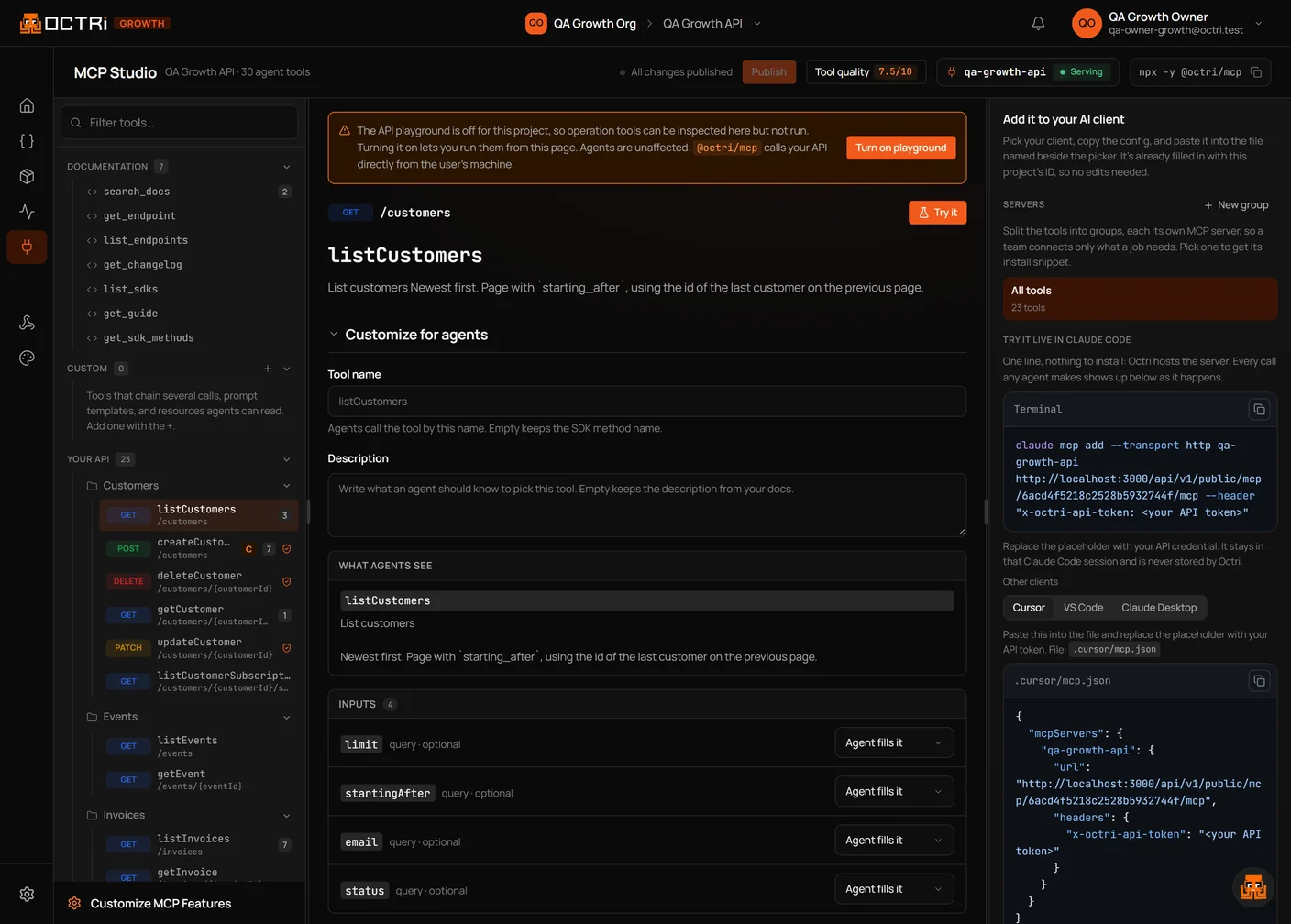
Keep the SDK or API contract as the source of truth, then review the generated MCP surface as its own product. A tool that can be called is not necessarily a tool a model can use reliably.