By the Octri team · Updated
How to connect an MCP server to Claude: Code, Desktop, claude.ai and the API
Adding an MCP server to Claude is not one universal operation. Claude Code, Claude Desktop, claude.ai and the Claude API have different ways of finding a server, starting it and obtaining its credentials. Most setup problems happen because the instructions for one of these environments are applied to another.
The useful first question is where the connection originates. A local command runs on your machine. A remote connector that Anthropic's cloud calls needs a server the cloud can reach. That one distinction resolves a surprising number of configuration mysteries.
How do you connect an MCP server to Claude?
Choose the Claude surface first, then choose a transport. Local stdio servers fit command-line and desktop environments that can start a process. Remote servers use an HTTPS URL and often an OAuth sign-in flow. After configuring the connection, inspect the server's available tools and run a harmless read before trusting it with writes.
| Claude surface | Local process | Remote URL |
|---|---|---|
| Claude Code | Supported | Supported |
| Claude Desktop | Local configuration / extensions | Custom connectors |
| claude.ai | Not a local process | Custom connectors |
| Claude API | Not a local stdio server | Remote MCP tools |
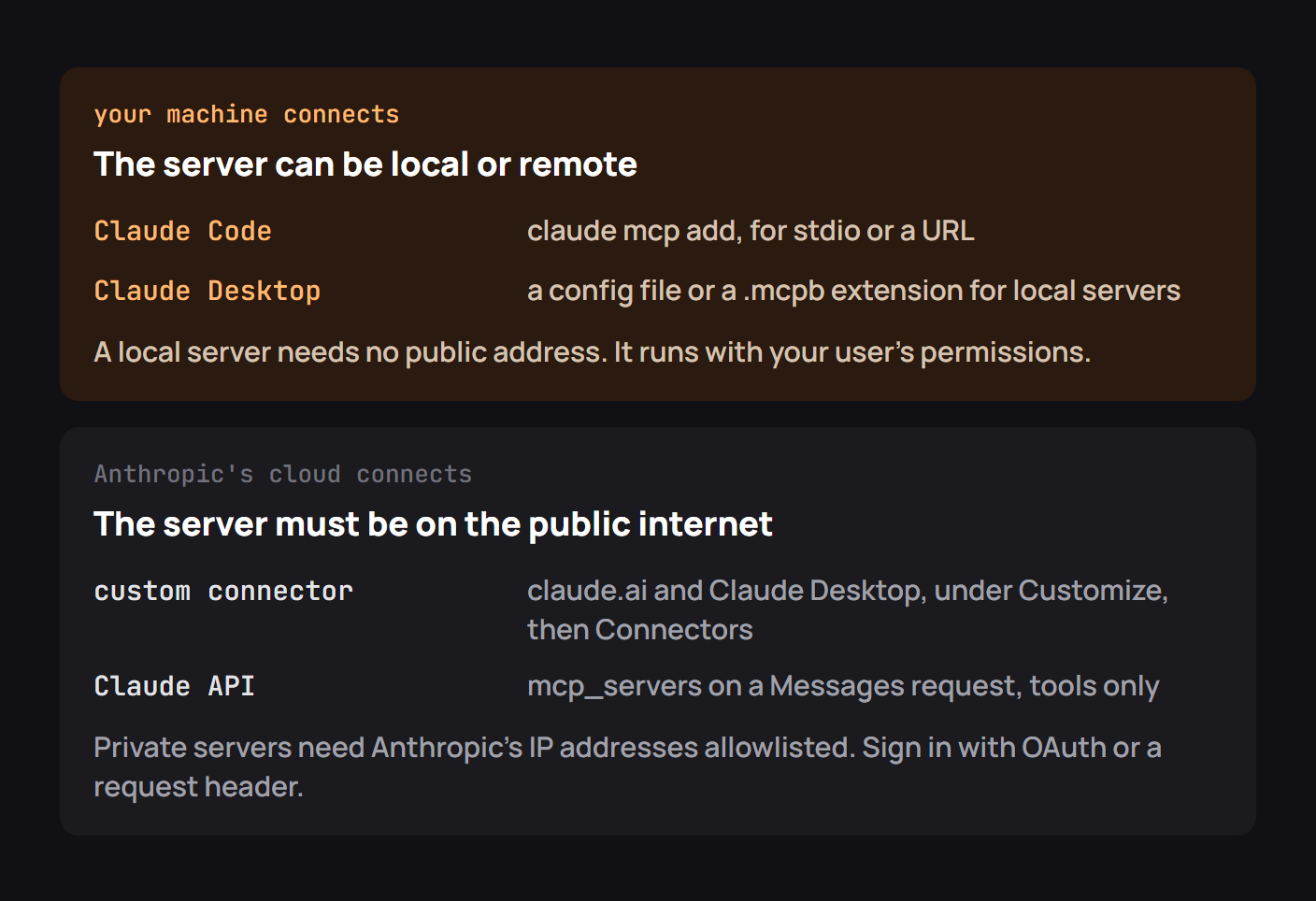
Claude Code
A local process can be registered from your project directory:
claude mcp add inventory -- python inventory_server.pyFor a remote Streamable HTTP server, supply the transport and URL:
claude mcp add --transport http inventory https://mcp.example.test/mcp
claude mcp list
A project-scoped configuration is convenient for teammates; a personal one is better for private paths and secrets. When a checked-in config asks permission to start a local command, review that command before approving it. The file is executable configuration, not harmless documentation.
Inside Claude Code, /mcp helps inspect connection status and sign in when a server advertises OAuth. A status of “connected” is only the beginning; ask Claude to list or invoke a read-only tool to verify the complete path.
Claude Desktop
Claude Desktop can launch local servers from its configuration file or connect to hosted MCP services through a custom connector. The local file is claude_desktop_config.json, usually opened from Settings → Developer. Remote connectors are managed through the connectors interface and may require an account-specific approval step.
A real user report illustrates why the distinction matters. In Anthropic's issue tracker, ChristopherStavros described a March 2026 problem where custom MCP servers worked in ordinary Claude Desktop chat but were unavailable inside the Desktop app's Code mode. The report included a minimal config, the process list and the server configuration passed into the code subprocess. The issue was subsequently closed; it is evidence of an environment-specific integration failure, not proof that every current build behaves that way.
The useful takeaway is to verify the mode and the client process, not merely the existence of the JSON entry. A server may start successfully and still be invisible to the agent session where you expect its tools. Troubleshooting should establish which host owns the connection, what it loaded and which tool list it exposes.
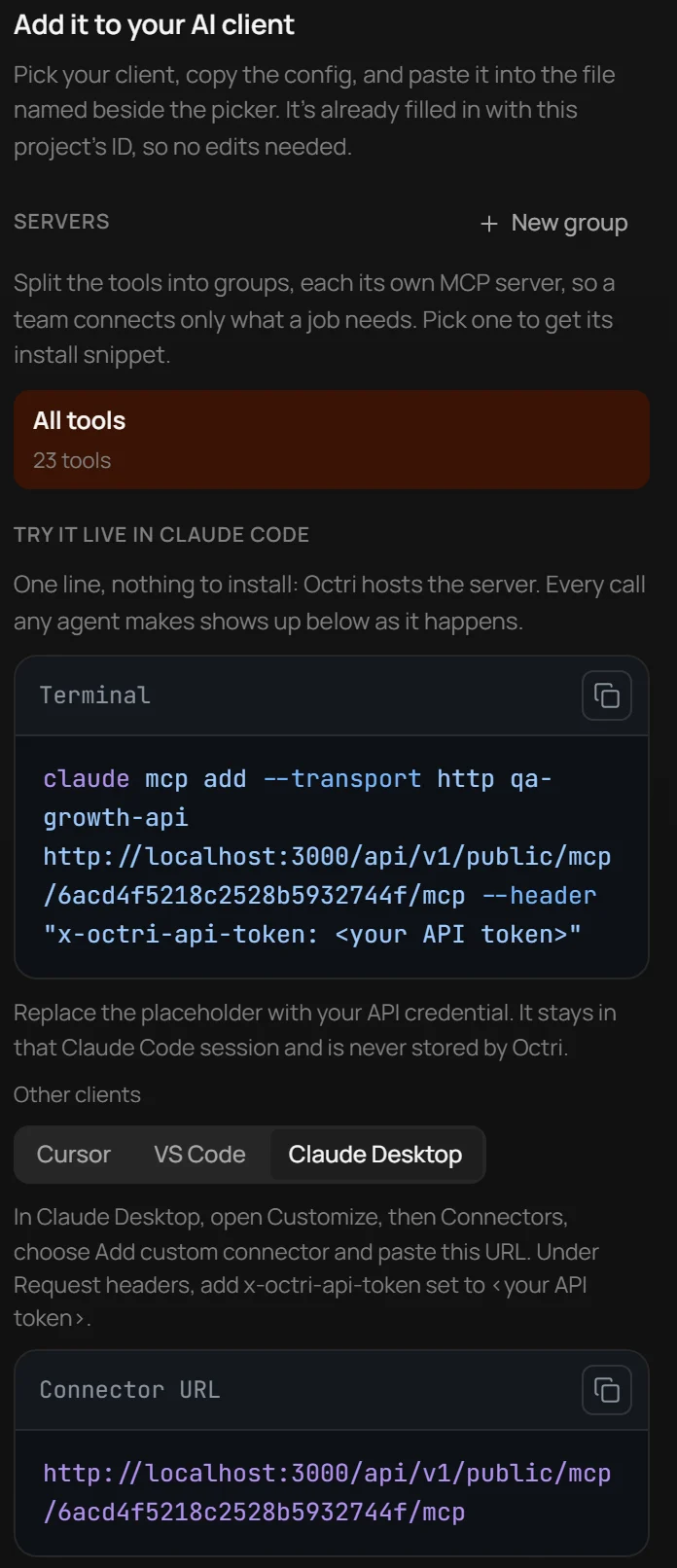
claude.ai
In the web application, a custom connector points to a hosted MCP server, not a command on your laptop. Follow the current Anthropic connector guide for the UI and plan-specific requirements. The service must be reachable from Anthropic's infrastructure, not just from your browser.
If your server is behind a corporate firewall or private DNS name, opening the link locally proves little about whether the connector can reach it. Use a public HTTPS endpoint or a supported private-connectivity method, then verify the OAuth metadata and allowlist requirements. Keep the tool list small enough that users can tell what rights they are granting.
The Claude API
The Claude API can present tools from a remote MCP server alongside other tools in the model request. The request shape depends on the API version, so use the current Anthropic documentation rather than transplanting a Desktop configuration file.
Conceptually, there are two pieces: a server definition that tells Anthropic where the MCP endpoint lives, and a toolset definition that controls which MCP tools the model may use. Keep authorization data out of prompts and use the API's credential fields. A private server on localhost cannot be reached by a cloud API call.
There is also a security distinction: approving a connector is not the same as approving each potentially destructive tool call. Decide in your application when a human needs to review the exact action and enforce permissions on the server even if the model requests it.
Checklist for connecting an MCP server to Claude
Confirm the product surface, transport, server address and actual connection origin. For local processes, check interpreter paths, environment variables and startup logs. For remote services, check HTTPS reachability, OAuth discovery and token scope. Use the client to inspect tools, run a safe lookup, and verify that writes have the expected approval policy.
When something works in one Claude product but not another, record the two products and their versions in the bug report. “Claude cannot connect” is not enough information to diagnose the boundary.
Connect your API to Claude with Octri
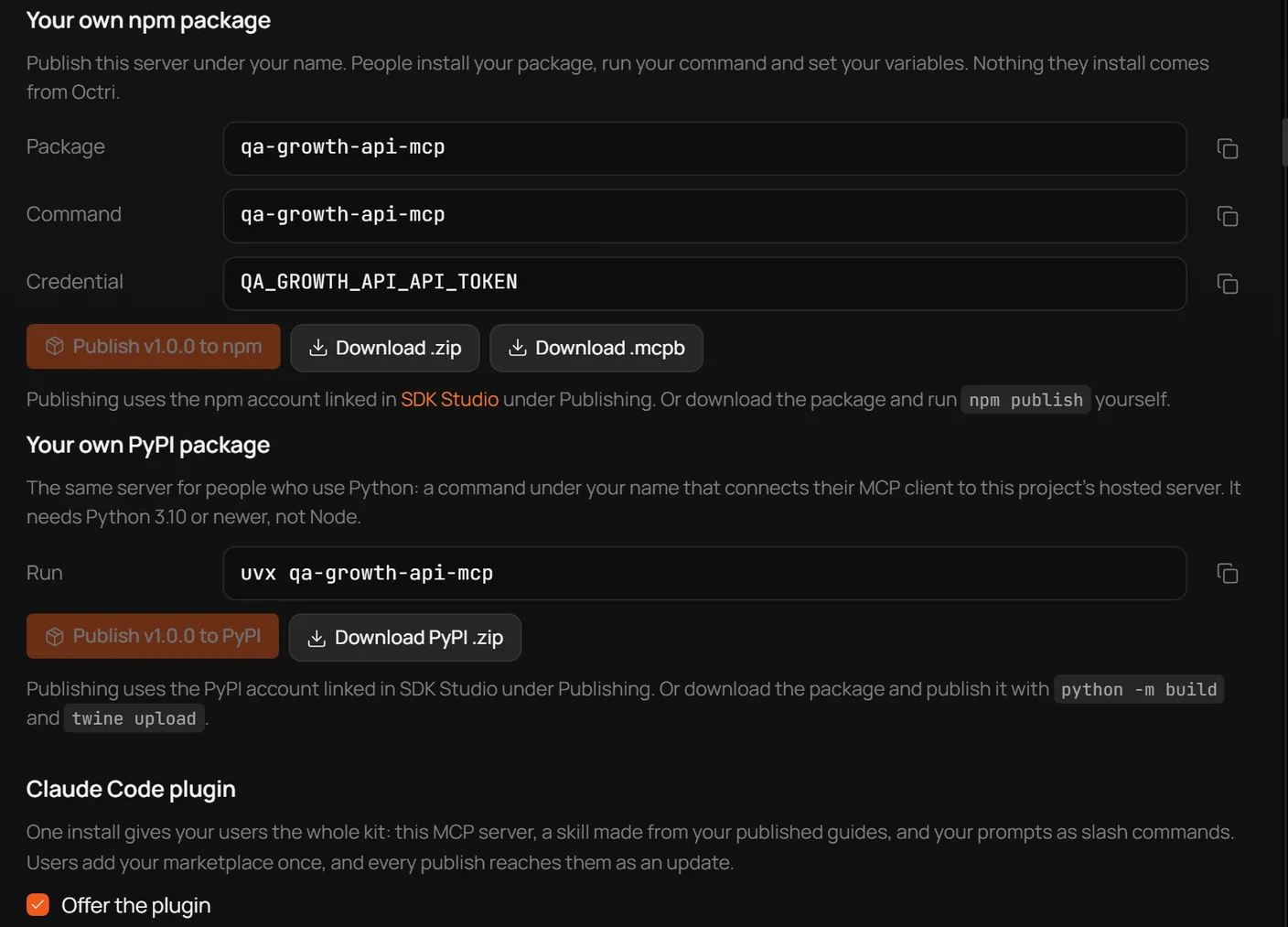
Octri MCP Studio can publish an MCP interface generated from an API description, then provide connection instructions for supported clients. Use the configuration that matches your hosting method: a hosted URL and OAuth setup are not interchangeable with a command to run a local process.
For an API with many operations, curate which tools Claude sees and which require approval. A successful handshake only proves connectivity; a good integration needs names, permissions and responses the model can use reliably.