By the Octri team · Updated
MCP server configuration: config files for Claude, Cursor and VS Code
One of the most frustrating MCP failures happens before a tool runs. The server starts, appears in the client's configuration, and then fails because the credential you tested from your terminal never reached the process the client launched. The file looks right, the server code looks right, and the environment is different.
MCP server configuration is largely about making that environment explicit: where the program starts, which arguments it receives, which secrets it can access, and whether it uses a local command or a remote URL.
How do you configure an MCP server?
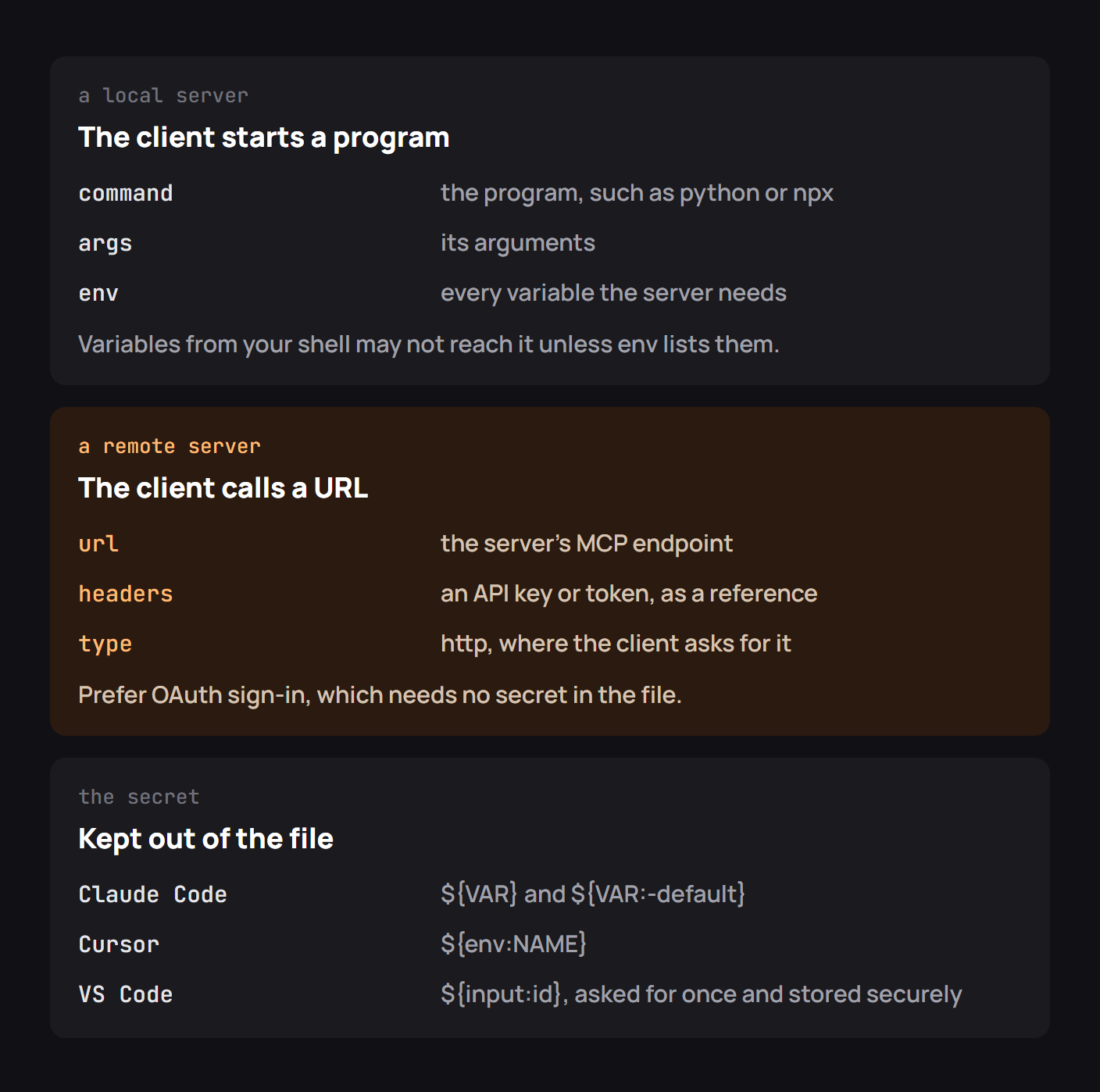
The smallest local entry says “run this command with these arguments.” A remote entry says “connect to this URL, using the client's supported sign-in or header mechanism.” Neither format is universal: Claude, Cursor and VS Code share ideas but differ in keys, scope, variable syntax and restart behavior.
Start by deciding who should use the server. A project-scoped setting makes sense when the whole team needs the same capabilities. A user-scoped entry is better for personal tokens, private file paths and experiments. Don't commit a secret merely because the JSON file itself is convenient to version.
Where each client keeps its config
| Client | Typical workspace location | Personal settings |
|---|---|---|
| Claude Code | .mcp.json at project root |
CLI-managed entries in ~/.claude.json |
| Claude Desktop | Local servers configured in its Developer settings | claude_desktop_config.json |
| Cursor | .cursor/mcp.json |
~/.cursor/mcp.json |
| VS Code | .vscode/mcp.json |
User-profile MCP settings |
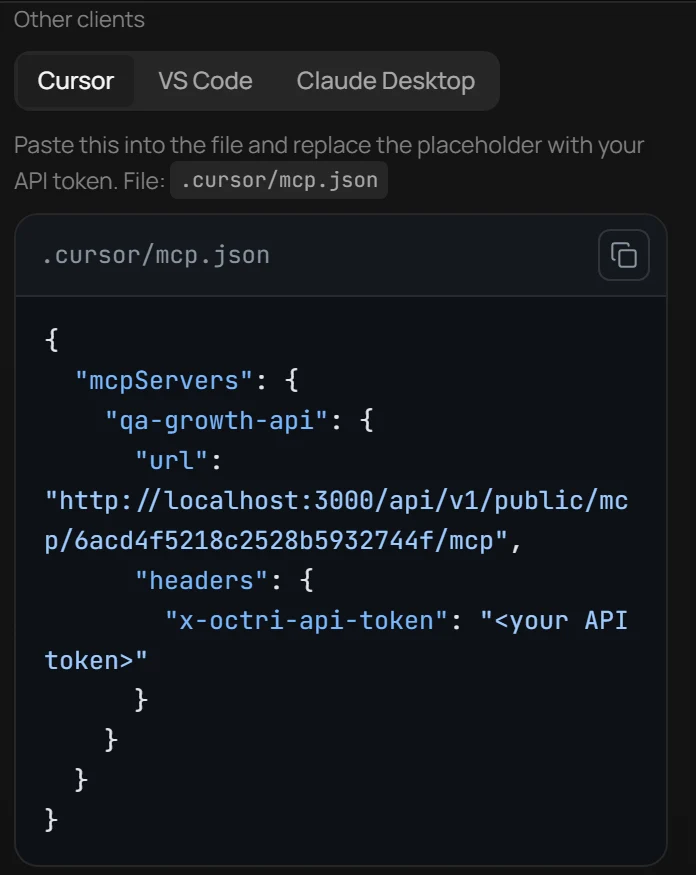
Read the live product reference before editing an existing configuration. VS Code commonly uses a top-level servers key in its own .vscode/mcp.json, whereas Claude and Cursor typically use mcpServers. A JSON file that parses correctly can still be ignored because it was placed in the wrong folder or given the wrong key.
A local server entry
Here is an example for a server executed by a Python interpreter:
{
  "mcpServers": {
    "inventory": {
      "command": "python",
      "args": ["/absolute/path/inventory_server.py"],
      "env": { "INVENTORY_API_URL": "https://sandbox.example.test" }
    }
  }
}
Prefer absolute paths, especially for args. A desktop application may not launch the process from the same directory you used in your terminal. Also decide how the interpreter is selected: python can point to a different environment from the one where you installed the SDK.
The env gotcha we tested
I reproduced the environment problem with a small local subprocess check. A parent process set a demo token, but I intentionally launched a child with a restricted environment containing only PATH. The child printed missing. When I passed DEMO_TOKEN explicitly, it printed set. That check demonstrates how environment filtering changes what the child can see; it does not claim that every MCP client filters variables in precisely that way.
The check is short enough to try without installing an MCP server:
import os
import subprocess
import sys

probe = 'import os; print("set" if os.getenv("DEMO_TOKEN") else "missing")'
os.environ["DEMO_TOKEN"] = "parent-only-example"
base = {"PATH": os.environ["PATH"]}
for env in (base, {**base, "DEMO_TOKEN": "example-not-secret"}):
    output = subprocess.check_output(
        [sys.executable, "-c", probe], env=env, text=True
    )
    print(output.strip())
The printed results were missing and set. That difference explains a common setup mystery: inheriting an environment is not guaranteed when a client constructs the child process itself. Configure required variables through the mechanism your client documents, and validate that the server received them without printing their values.
A remote server entry
A remote connection points to the server's HTTP endpoint rather than a command:
{
  "mcpServers": {
    "inventory": {
      "type": "http",
      "url": "https://mcp.example.test/mcp"
    }
  }
}
Some clients use a different field shape and provide a connector UI rather than an editable file. When the server offers OAuth, let the client's sign-in flow obtain and store the access token. Avoid putting a long-lived bearer token in a committed workspace config just to get past the initial connection.
Keeping secrets out of the file
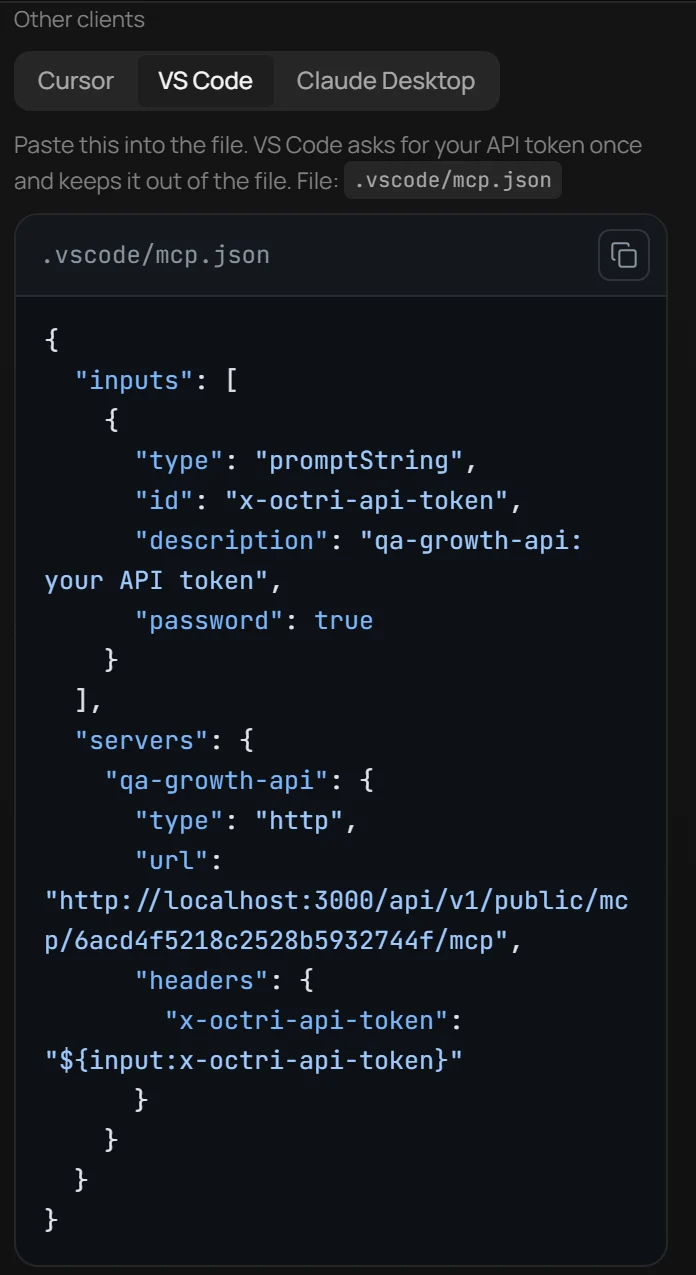
Use the client's documented secret-reference syntax. The spelling differs: VS Code supports prompted inputs, while Cursor and Claude have their own environment-variable conventions. A plain string containing ${TOKEN} is not automatically expanded by every client. Confirm the substitution mechanism before relying on it.
If an API key must be used, keep it in the user's secret store or environment and pass only the reference through configuration. Never print it while debugging. A log saying token: set is enough; a log saying token: sk_live_... creates another incident.
Project files and personal files
A shared project file is useful for a predictable server command and a common base URL. It is less suitable for user-specific home directories and credentials. Keep those in a local override or a documented setup step.
If the project uses a remote server, project-level configuration can name its URL and leave sign-in to each developer. This preserves a shared integration without sharing the rights of one employee's account.
Checklist for MCP server configuration
Check the path to the file, the expected top-level key, command versus URL, absolute paths, the environment passed to local processes, the scope of the configuration, and how the client refreshes its server list. Confirm that the server appears in the client's tool view and execute one harmless read-only tool before assuming the setup is complete.
For remote servers, test authentication and verify which machine or cloud service actually opens the connection. A URL reachable on your laptop may not be reachable from a cloud-hosted connector.
MCP server configuration with Octri
If your server was generated with Octri MCP Studio, use the endpoint and client-connection instructions that match how it is hosted. A managed HTTPS server, a Docker deployment and a locally launched process require different configurations even if they advertise the same tools.
Treat the config as part of the integration's operational documentation. A copy-paste example is only useful when it tells the reader exactly which values they must supply and which ones are safe to commit.